
Master Inzoi social mechanics with expert strategies for inviting Zois and building relationships effectively
Understanding Inzoi’s Social System
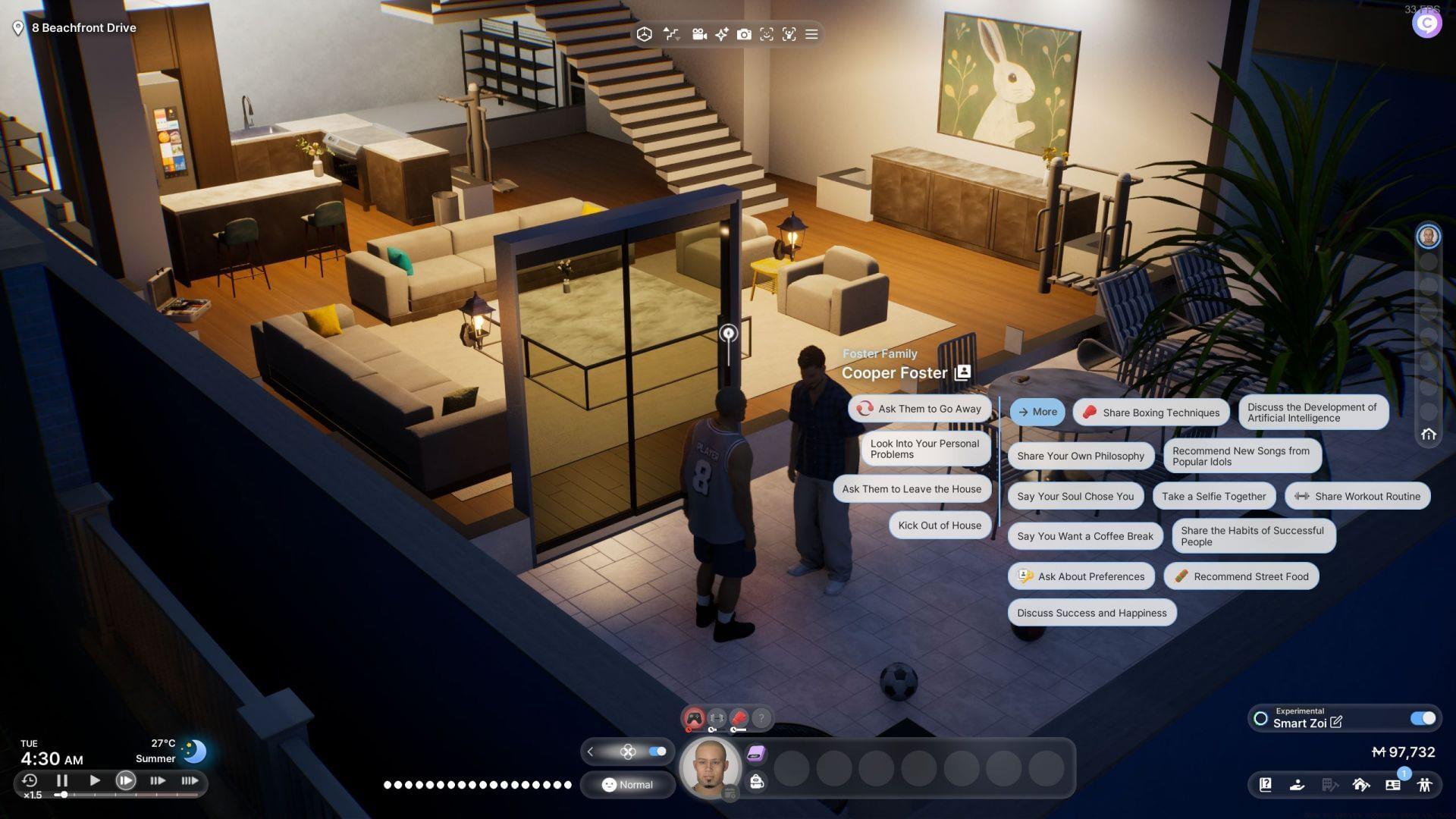
Inzoi presents an immersive life simulation experience where you craft and direct the lives of digital beings called Zois. These characters mirror human existence, engaging in diverse activities and navigating complex life scenarios. Social interaction forms the core gameplay loop, requiring Zois to establish meaningful connections with others to develop bonds and advance their social networks.
The relationship system operates on realistic principles – Zois maintain individual schedules, personal preferences, and social circles that influence their availability and willingness to interact. Understanding these dynamics is crucial for effective social management within your virtual community.
Accessing the Relationship Management Tools
Your Zoi possesses the capability to extend invitations to individual Zois or organize group gatherings. To initiate social interactions, navigate to the Relationships panel situated on the bottom toolbar interface. This centralized hub provides comprehensive social management functionality.
For rapid access, utilize the ‘R’ keyboard shortcut, which instantly opens the relationship management interface regardless of your current in-game activity. This efficiency tip saves valuable gameplay time when you need to make quick social arrangements.
The interface displays your current social network, relationship status with each Zoi, and available interaction options. Familiarize yourself with this layout to streamline your social management processes and identify optimal invitation candidates based on relationship levels and availability indicators.
Invitation Methods and Strategies
Once the relationship interface is active, select the ‘call over’ function to dispatch invitations to selected Zois at your preferred location. After confirmation, await their arrival, keeping in mind that travel time varies based on distance and current Zoi activities. The game provides acceleration options to hasten their approach when urgency is required.
Strategic planning is essential since Zois maintain individual daily routines that dictate their availability. They may decline invitations conflicting with work commitments, educational obligations, or personal time. Always check their status indicators before sending requests to minimize rejection rates.
For organized social gatherings, leverage the Events application on your in-game smartphone. This sophisticated tool enables precise event planning with date selection, time scheduling, and venue specification. Events accommodate larger groups and provide structured social interaction opportunities beyond spontaneous visits.
Location-based invitations offer additional flexibility – simply tap any city location to access the ‘Call Over’ option for Zois in that vicinity. The relationship panel assists with selection, while Edit City mode provides advanced invitation capabilities for comprehensive social coordination.
Advanced Social Management Techniques
The ‘Call Over’ feature operates with specific limitations – you can only invite Zois previously encountered or those within your established friendship network. Unknown Zois remain inaccessible through direct invitation, requiring alternative approaches to initial contact through public spaces or shared activities.
Prepare for potential invitation rejections stemming from various factors. Zois engaged in occupational activities, educational pursuits, or resting periods typically decline social requests. Understanding their daily patterns helps schedule invitations during optimal windows when they’re most likely available.
Advanced players should monitor Zoi sleep cycles, work schedules, and personal routines to identify prime invitation timing. Building stronger relationships through repeated positive interactions increases future invitation acceptance rates and unlocks additional social options.
Combine multiple invitation methods for comprehensive social strategy. Use direct calls for immediate interactions, scheduled events for group gatherings, and location-based invites for spontaneous meetings to maximize your Zoi’s social development and relationship building efficiency.
Troubleshooting and Common Issues
When facing frequent invitation rejections, analyze the underlying causes. Zois typically refuse requests during working hours (9AM-5PM), school sessions, or nighttime sleeping periods (10PM-6AM). Adjust your timing to align with their free periods for improved success rates.
If unable to invite specific Zois, verify their relationship status. Only acquaintances and friends appear in your invitation list. For unknown Zois, initiate contact through public interactions before attempting direct invitations.
Technical considerations: Ensure you’re using the latest game version, as social mechanics may evolve through updates. If interface elements malfunction, restart the game or verify installation integrity. Community forums provide additional troubleshooting resources for persistent issues.
For comprehensive gaming updates and Inzoi news coverage, remain connected with Sportskeeda’s ongoing coverage.
No reproduction without permission:SeeYouSoon Game Club » How to invite someone over in Inzoi Master Inzoi social mechanics with expert strategies for inviting Zois and building relationships effectively