
TL;DR
- Two exclusive helmets require mods: Henry VIII’s helmet and the crocodile houndskull
- Install specific Steam or Nexus mods to access blocked armor and clothing items
- Use console commands with developer mode enabled for direct item acquisition
- Locate specialized merchants in Troskowitz and Kuttenberg for rare gear
- Always backup saves before mod installation to prevent data corruption
Games and Esports Articles
Kingdom Come: Deliverance 2 contains numerous armor pieces and clothing items that developers intentionally restricted from normal gameplay. These include two particularly sought-after helmets: an authentic replica of Henry VIII’s ceremonial helmet and a uniquely designed “crocodile” houndskull variant. Understanding why these items remain inaccessible through conventional means provides insight into game development decisions.
Game developers often include content during testing phases that doesn’t make the final cut for balance or lore reasons. The crocodile houndskull, for instance, features intricate scale-like patterning that may have been deemed too ornate for standard issue armor. Similarly, Henry VIII’s helmet represents historical accuracy but might disrupt the game’s Central European setting.
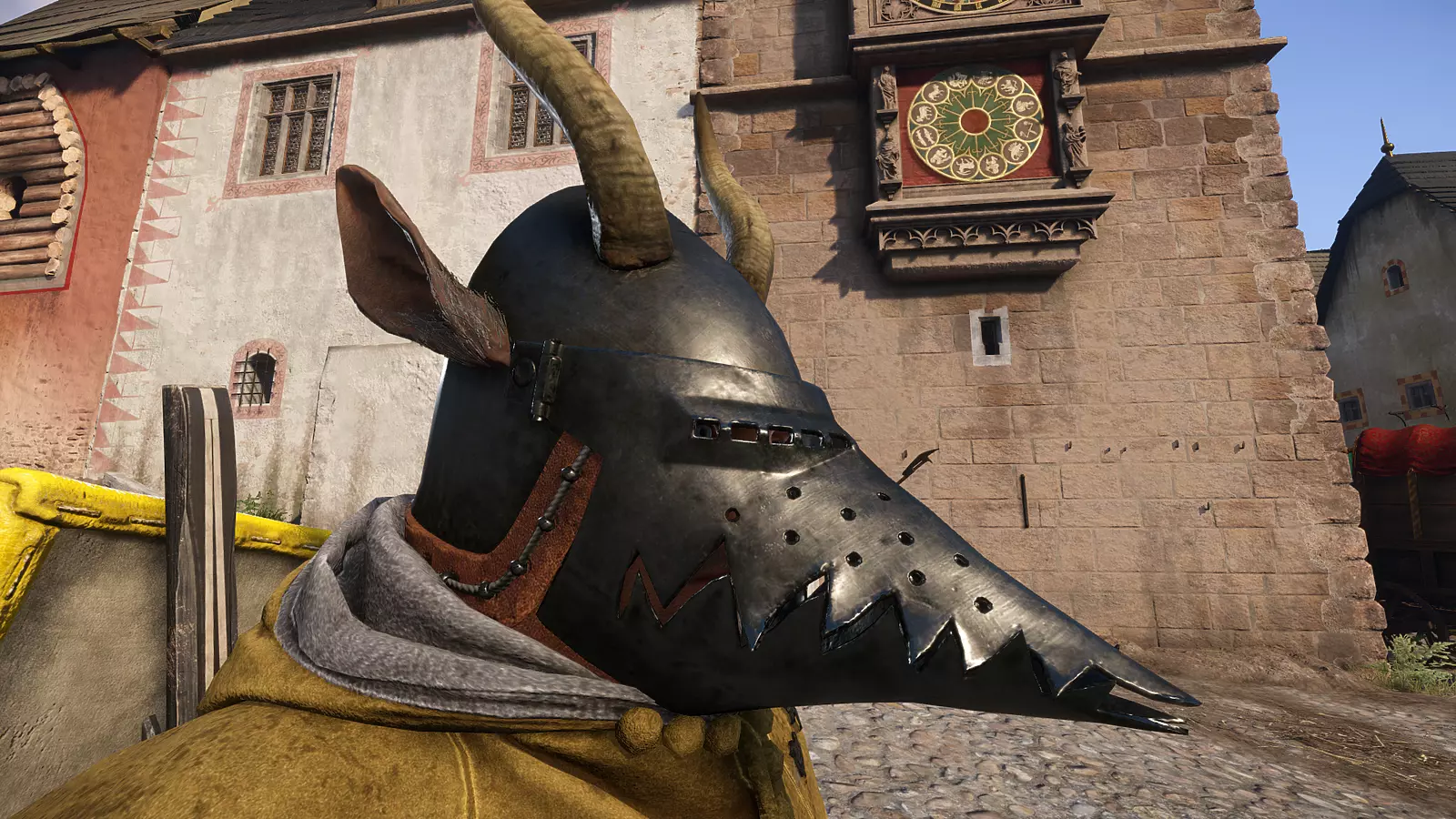
How to get blocked armor/clothes and “crocodile” houndskull helmet in KCD2
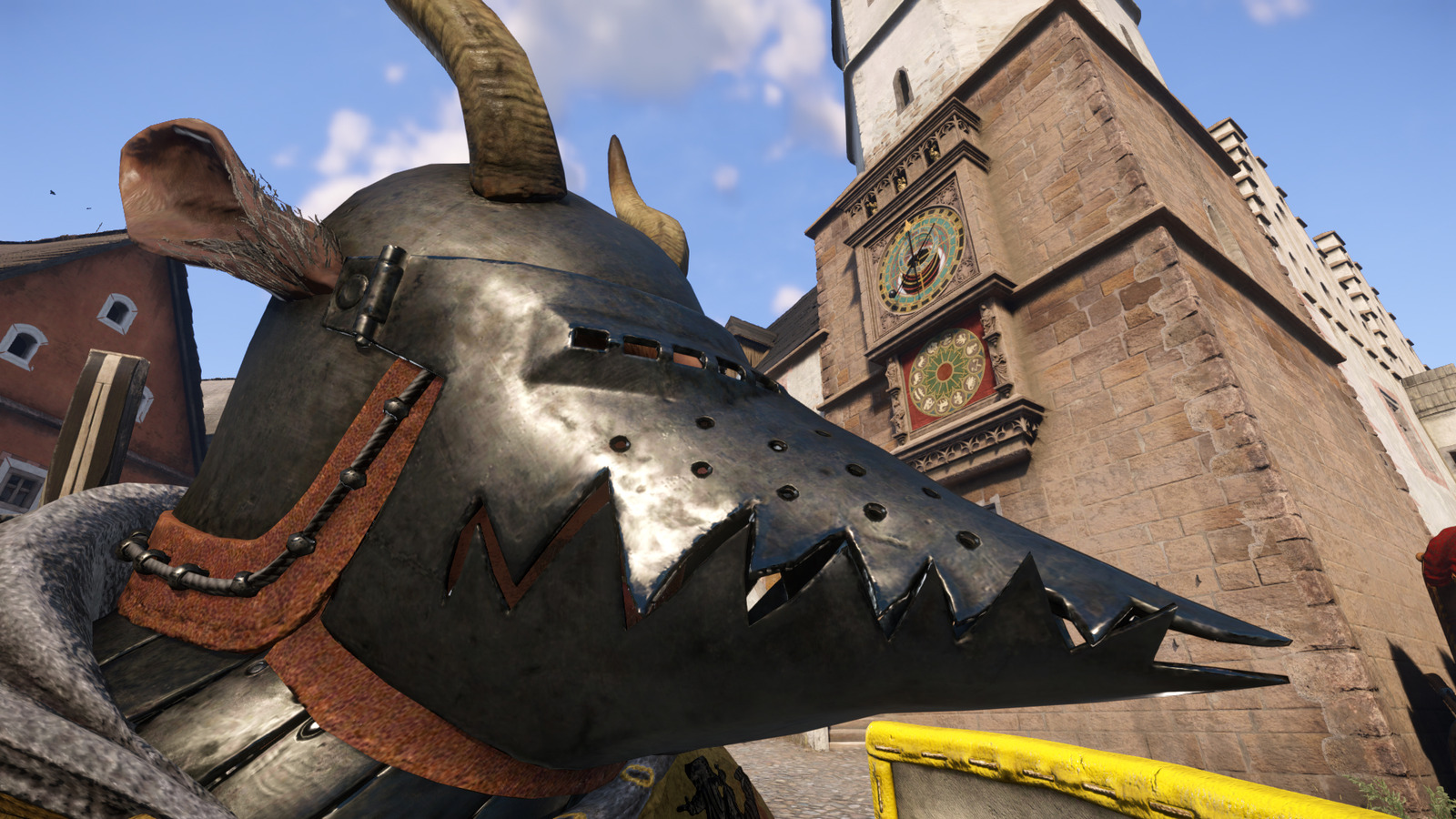
The distinctive crocodile houndskull helmet exists within the game’s data files but cannot be obtained through standard console commands. This visually striking headgear requires installing specialized modification files that restore developer-intended content. Players can choose between several mod variants, with later versions offering additional high-tier armor sets that may impact game balance.
- Steam (tier-3 armor)
- Steam (tier-4 armor)
- Nexusmods version
These modifications introduce nearly all unavailable equipment to specific vendors throughout Bohemia. You’ll need to locate either the primary merchant operating in Troskowitz or visit the designated trader situated within Kuttenberg’s market district. These locations become essential destinations for collectors seeking complete armor sets.
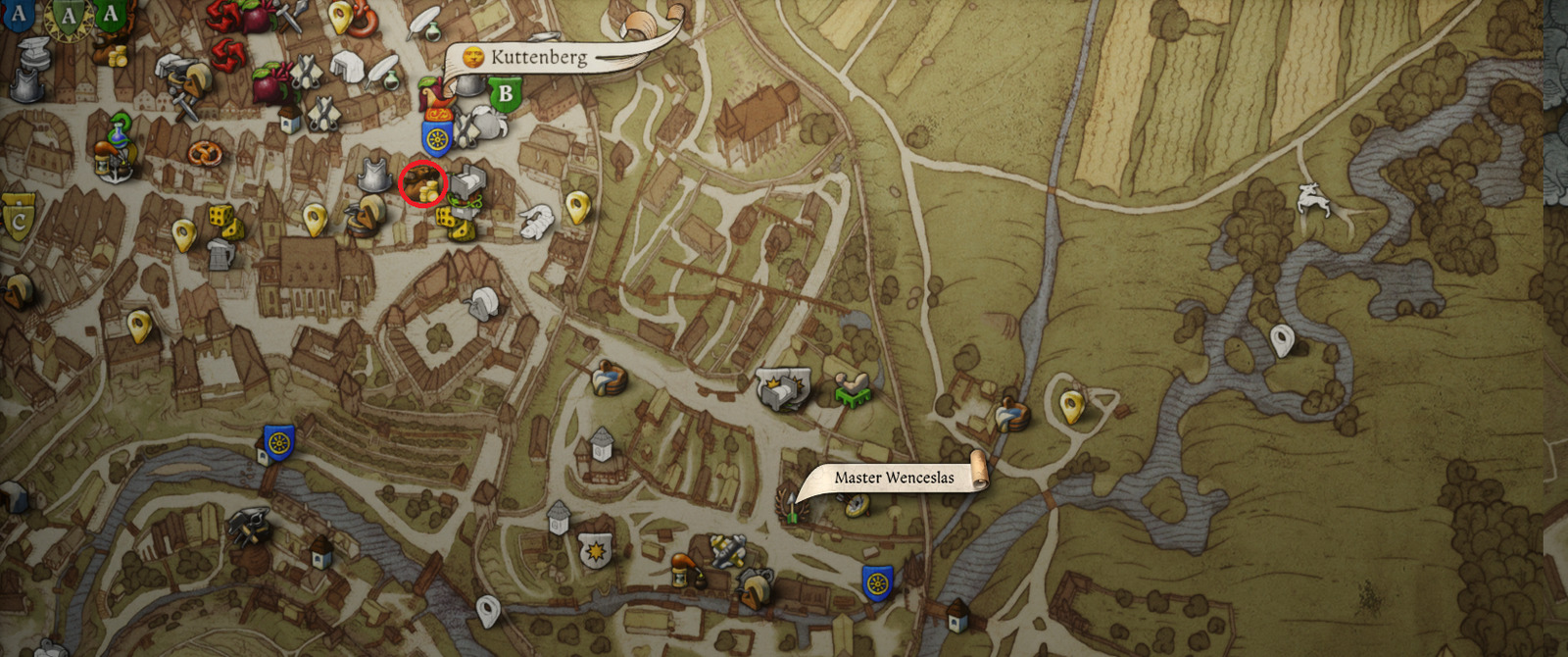
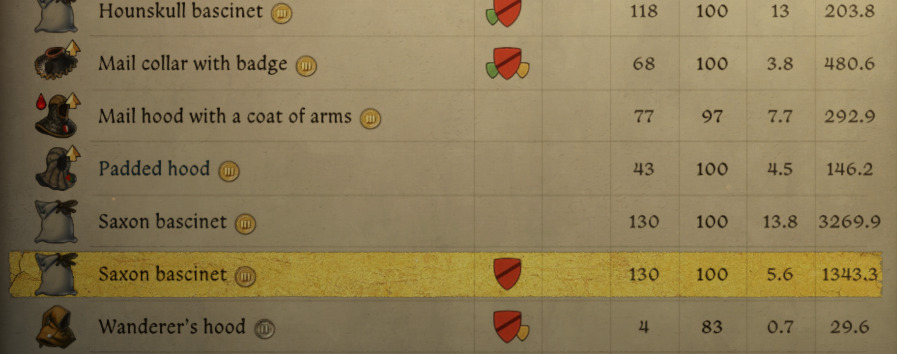
To successfully purchase the crocodile houndskull helmet, carefully navigate through the merchant’s inventory and locate the Saxon Bascinet category within the headgear section. Although the item may display a generic icon within the shop interface, you can preview how it appears when equipped on Henry using the standard armor preview functionality.
How to get Henry VIII’s helmet in KCD2
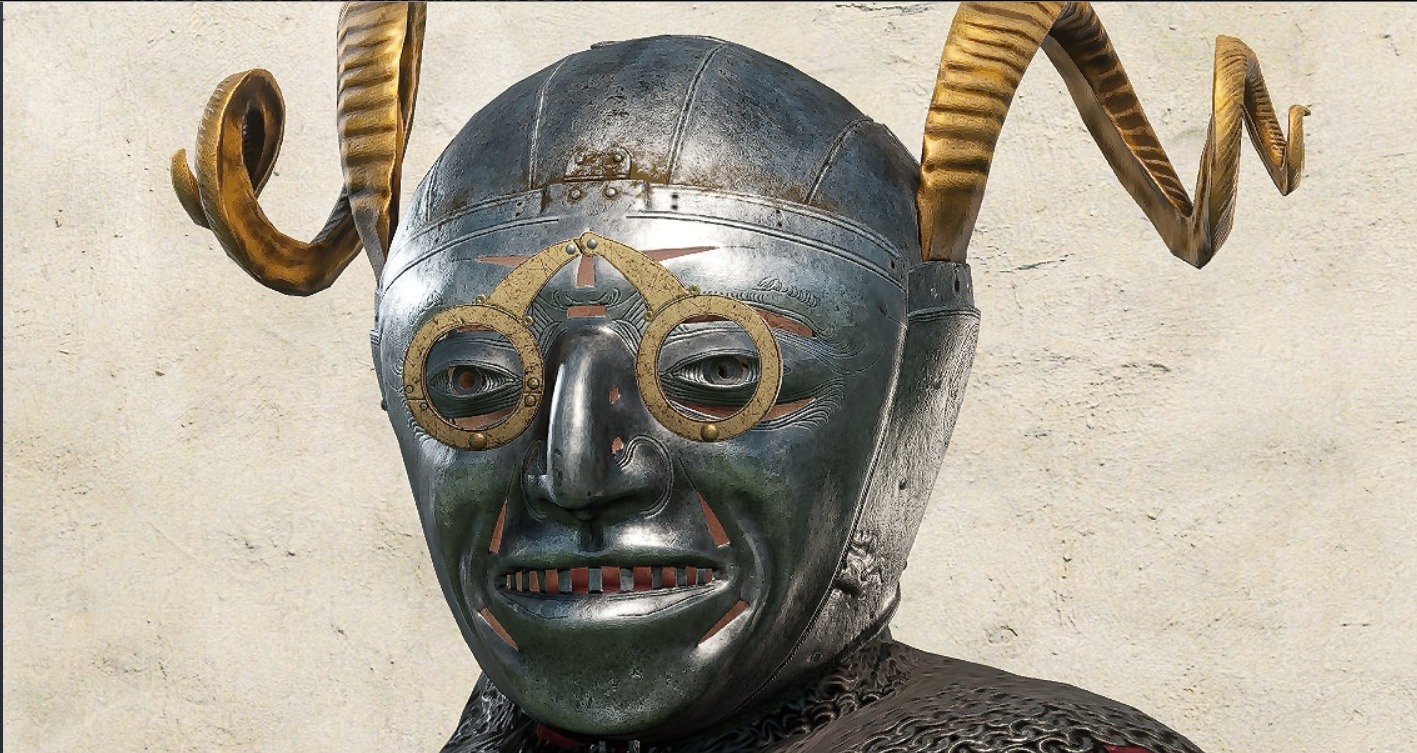
Warhorse Studios officially released this historically significant helmet as a standalone modification. Importantly, this particular item cannot be acquired using the previously mentioned merchant mods. You must download the specific addon available through this dedicated Steam Workshop link. Once installed, utilize the precise console command sequence to add the helmet directly to your inventory.
wh_cheat_addItem HornedHelmet_m01
To access the developer console, press the tilde (~) key on your keyboard during gameplay. If the console fails to appear, completely exit the game and navigate to your Steam library. Perform a right-click action on the game title and insert the parameter -devmode within the launch options field to enable full debugging capabilities.
When activating developer mode, ensure you understand the implications for your gameplay experience. This mode unlocks powerful debugging tools that, while useful for accessing blocked content, may inadvertently affect game stability or achievement progression if used improperly.
Successfully implementing these modifications requires careful attention to installation order and compatibility. Many players encounter issues when stacking multiple armor mods simultaneously, leading to inventory display errors or game crashes. Always install one modification at a time and verify functionality before adding additional content.
Performance Impact: Adding numerous high-resolution armor textures can affect game performance, particularly on lower-end systems. Monitor your frame rates after installation and consider disabling other visual mods if performance degrades significantly.
Save Protection Strategy: Before installing any game modifications, create a manual backup of your save files. This precaution prevents potential corruption that could result from incompatible mod combinations or improper installation procedures.
Mod Management: Regularly check for mod updates following game patches, as version incompatibilities represent the most common cause of game instability among mod users.
For players interested in expanding their gameplay options further, our Weapons Unlock guide provides complementary strategies for weapon acquisition. Additionally, understanding character development through our Class Guide can enhance your overall Kingdom Come: Deliverance 2 experience.
Top 10 weapons for every type or style in KCD2. How to find best sword, axe, warhammer, polearm, and ranged weapon in Kingdom Come 2
Choosing the best of the best.
Action Checklist
- Backup your save files before installing any modifications
- Choose between Steam Workshop or NexusMods for crocodile houndskull mod
- Visit Troskowitz or Kuttenberg merchants to purchase Saxon Bascinet
- Download official Henry VIII helmet mod from Steam Workshop
- Enable developer mode in Steam launch options
- Execute console command ‘wh_cheat_addItem HornedHelmet_m01’
No reproduction without permission:SeeYouSoon Game Club » How to get NPC-only or cut content clothes and armor in KCD2. How to get secret Henry VIII’s helmet and “crocodile” houndskull Complete guide to unlocking hidden armor and rare helmets in Kingdom Come: Deliverance 2 using mods and console commands