
TL;DR
- Link your Epic Games and MyDisney accounts before May 2 to claim the free Stormtrooper outfit
- The outfit is part of Fortnite’s first-ever dedicated Star Wars season with exclusive content
- Account verification typically takes 5-10 minutes but may require additional security steps
- Common issues include browser cache problems and two-factor authentication conflicts
- Complete the process before season launch to ensure immediate access to the cosmetic item
Fortnite’s highly anticipated Chapter 6 Season 3 introduces a groundbreaking Star Wars-themed experience, marking what Epic Games describes as the franchise’s “first-ever” dedicated Star Wars season. This collaboration brings extensive new content to the Battle Royale universe, including exclusive character outfits and immersive storytelling elements.
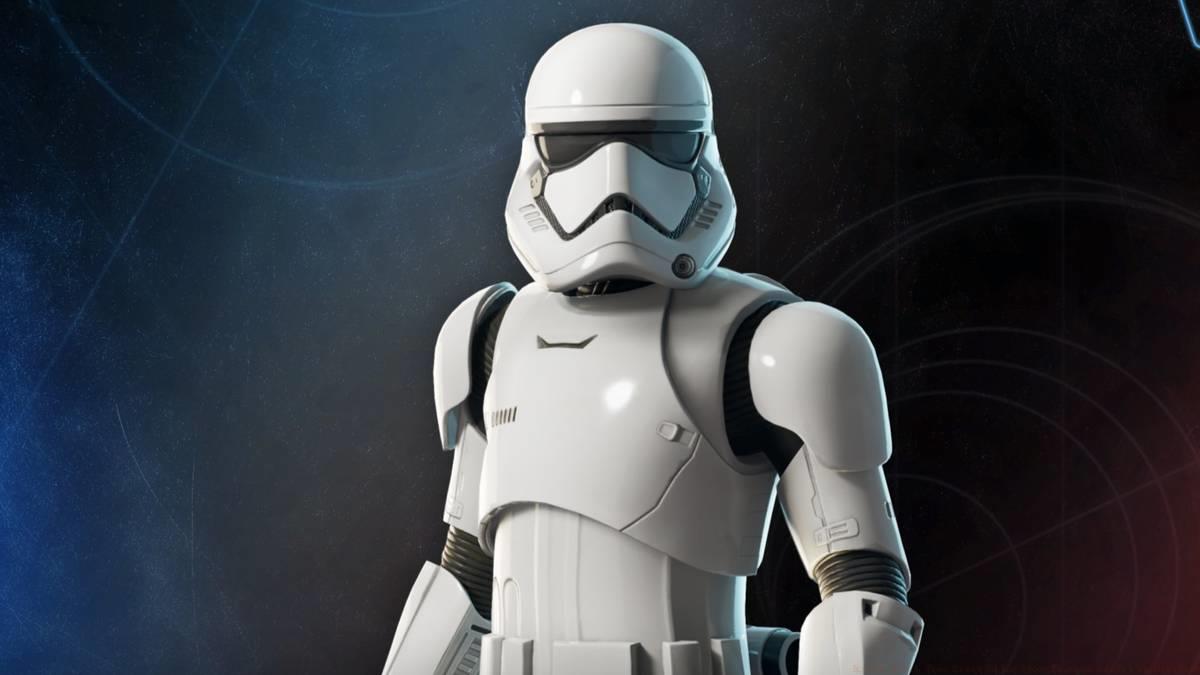
The season launches officially on Friday, May 2, but players can secure their free First Order Stormtrooper outfit immediately through a special pre-release promotion. This white armor cosmetic represents one of the most recognizable designs from the Star Wars universe and provides players with authentic imperial soldier aesthetics for their Fortnite avatar.
Beyond the outfit acquisition, this season introduces revolutionary content integration. Players will experience the debut of Star Wars: Tales of the Underworld directly within Fortnite’s platform. This animated series focuses on the perspectives of Star Wars antagonists and expands the narrative universe while providing new gameplay contexts. The Battle Royale modes will feature themed events where players can “join the fight to stop Emperor Palpatine’s forces” through special missions and combat scenarios.
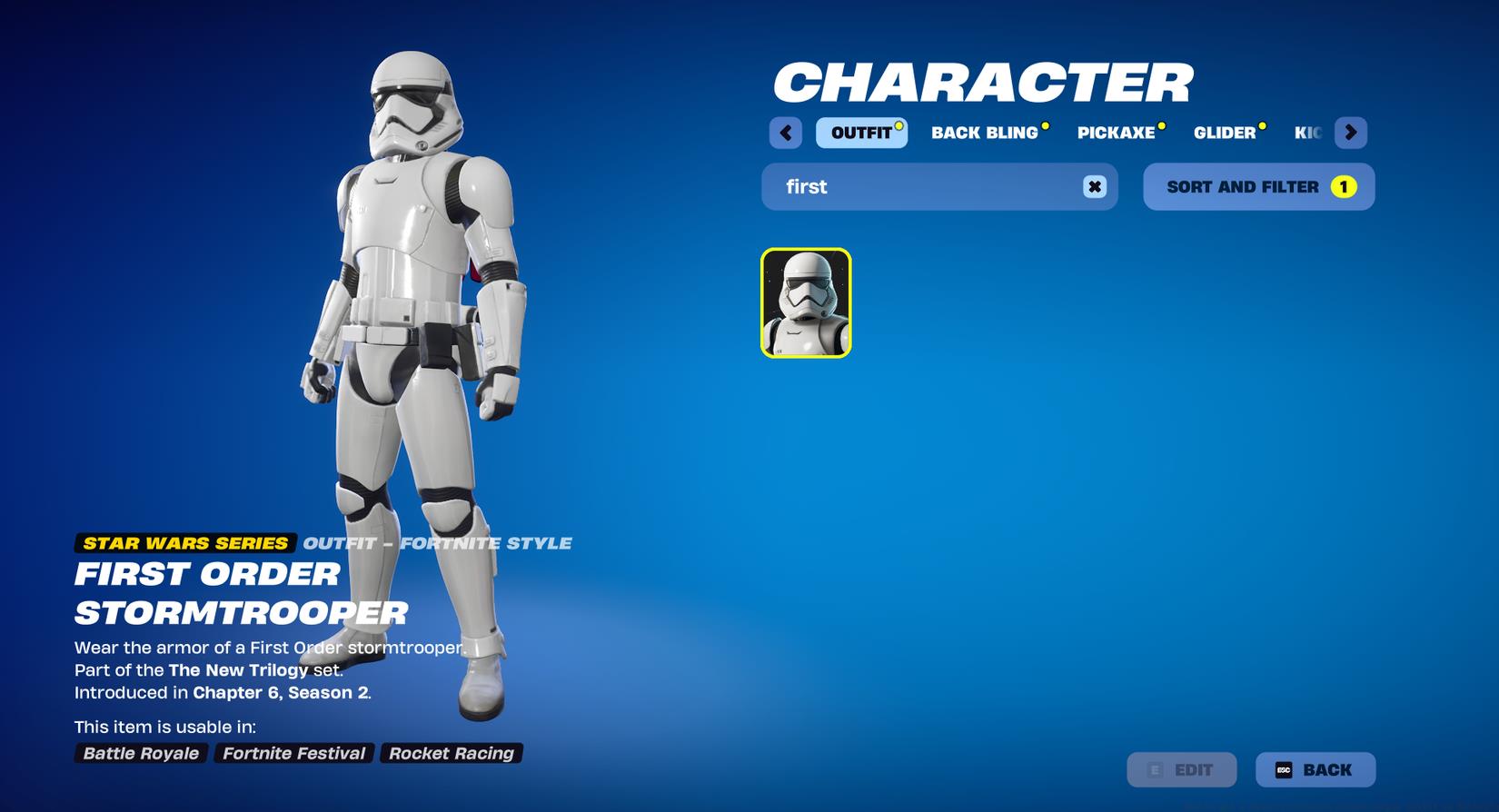
Image: Epic Games via Polygon
Successfully claiming your Stormtrooper outfit requires proper account preparation and verification. The process centers around linking your existing gaming and entertainment accounts through Epic Games’ connection system.
You must have both an active Epic Games Account and a valid MyDisney account to complete the outfit redemption. If you lack a Disney account, the registration process is straightforward and free—simply visit Disney’s official sign-up portal and create your credentials. Ensure your Disney account uses the same region settings as your Epic Games account to prevent compatibility issues during the linking phase.
Before initiating the connection process, verify that your Epic Games account has two-factor authentication properly configured. This security measure prevents potential login complications during the account linking procedure. Additionally, clear your browser cache and cookies to ensure smooth navigation through both account platforms, as cached login data can sometimes interfere with the authentication workflow.
Follow this comprehensive guide to securely connect your accounts and claim your exclusive Stormtrooper cosmetic. The entire process typically requires 5-10 minutes when following these optimized steps.
- Begin by ensuring you have both account credentials readily available. Navigate to the Epic Games website and securely log into your account using your preferred browser. Avoid using incognito or private browsing modes, as these can sometimes disrupt the connection protocol.
- Once logged into your Epic Games account, access the account management dashboard. Locate and select the “Apps & Accounts” option within the settings navigation menu. This section manages all external platform integrations and partnership connections.
- Scroll through the available connection options until you identify the “MyDisney Account” integration panel. Click the prominent “Connect” button positioned beneath the distinctive Disney branding icon. The system will initiate the secure authentication handshake between platforms.
- Carefully follow the authentication prompts that appear in the new window. You’ll need to provide your MyDisney account credentials and potentially complete security verification steps. Once authenticated, locate and select the “Link Accounts” confirmation button to finalize the connection between your Epic Games and Disney accounts.
After completing these steps, your Stormtrooper outfit should automatically appear in your Fortnite locker inventory. If the cosmetic doesn’t appear immediately, allow up to 24 hours for the system to process the redemption, though most players receive their outfit within 2-3 hours. The outfit remains permanently in your collection once successfully claimed.
Graphic: Ana Diaz/Polygon | Image source: Epic Games
Maximize your success rate and avoid common pitfalls with these professional insights gathered from early adoption experiences. Understanding potential obstacles beforehand can save significant time and frustration.
Many players encounter authentication errors due to browser extension conflicts. Temporarily disable ad blockers, password managers, and VPN services during the account linking process. These tools can interfere with the secure connection protocol between Epic Games and Disney’s authentication systems. Additionally, ensure you’re using updated versions of mainstream browsers like Chrome, Firefox, or Edge for optimal compatibility.
If you receive error messages during the linking process, first verify that both accounts are in good standing without restrictions or suspensions. Disney accounts must have verified email addresses, while Epic Games accounts require completed age verification for certain content. The connection may fail if either account has privacy settings that block data sharing between platforms—adjust these settings temporarily if necessary.
For players who frequently engage with cross-platform gaming content, remember that outfit availability follows similar redemption patterns to other partnership cosmetics. The Stormtrooper armor will be accessible across all platforms where your Epic Games account is linked, similar to how progression systems work in other major titles. Consider this part of building your comprehensive character customization portfolio across different gaming experiences.
Finally, note that this promotional outfit may become unavailable after the season launch window. While Epic Games hasn’t specified an exact expiration date, similar cross-promotion cosmetics typically have limited redemption periods. Complete the account linking process before May 2 to guarantee access to this exclusive Star Wars cosmetic item.
Action Checklist
- Verify both Epic Games and MyDisney account credentials are active and accessible
- Clear browser cache and disable conflicting extensions before starting the linking process
- Navigate to Epic Games account settings and access the Apps & Accounts section
- Initiate and complete the MyDisney account connection through the authentication workflow
- Verify outfit appears in Fortnite locker and allow processing time if delayed
No reproduction without permission:SeeYouSoon Game Club » How to get a free First Order Stormtrooper outfit in Fortnite Complete guide to claiming your free First Order Stormtrooper outfit in Fortnite's Star Wars season