
TL;DR
- The error indicates server capacity limits, not actual duplicate logins
- Choose less populated servers or wait for queue openings during peak times
- Implement connection optimizations to reduce authentication conflicts
- Monitor server status through community resources for optimal timing
- Clear cache and verify account status if persistent issues continue
Games and Esports Articles
Tower of Fantasy represents Hotta Studio’s ambitious entry into the anime MMORPG landscape, delivering cross-platform accessibility across PC, iOS, and Android devices. The global debut on August 11 introduced players to a visually stunning post-apocalyptic universe, though the launch experienced typical MMO growing pains with various technical complications affecting user access.
This immersive gaming experience combines expansive open-world exploration with intricate puzzle-solving mechanics and dynamic combat systems. Players can engage in both player-versus-environment adventures and competitive player-versus-player content, all enhanced by one of the most comprehensive character customization frameworks in contemporary MMORPGs.
Massive player influx during initial release created unprecedented server demand, resulting in authentication bottlenecks and connection errors. These capacity limitations manifested through various error messages, including the particularly confusing “Already logged into the game on this account” notification that appears during server selection.
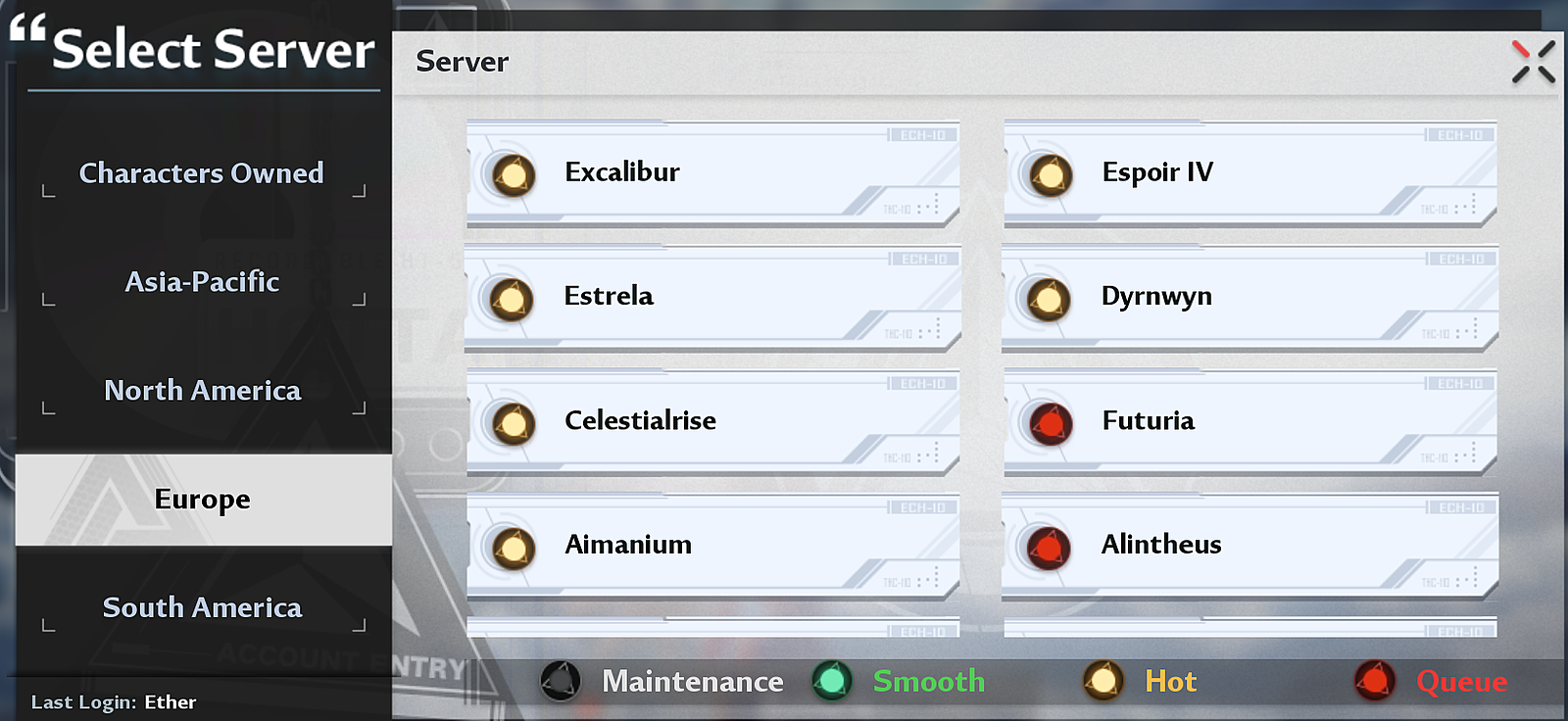
Contrary to what the message suggests, this error doesn’t indicate someone else has accessed your account. The notification actually signals that your selected destination server has reached its maximum concurrent player capacity, with the accompanying login queue also filled to its 3,000 participant limit. This creates a temporary authentication blockade preventing new sessions from initiating.
The server architecture employs a dual-layer protection system: first limiting active connections on the game world itself, then restricting queue positions for waiting players. When both thresholds are exceeded, the system generates this misleading error message as a capacity control mechanism.
Understanding this distinction is crucial—your account credentials remain secure, and the issue stems purely from infrastructure limitations rather than security breaches. This knowledge transforms frustration into strategic server selection.
When encountering this authentication barrier, your immediate resolution path involves two primary approaches: selecting an alternative server with available capacity or practicing patience until queue positions open on your preferred server. Strategic server evaluation can significantly reduce login attempts and frustration.
Server assessment techniques: Monitor population indicators before selection—servers labeled “Busy” or “Full” should be avoided during peak hours. Consider creating characters on multiple servers to maintain flexibility when your primary server experiences congestion.
Queue management represents another viable strategy. Server queues operate on a first-in, first-out basis, with positions opening approximately every 2-5 minutes as players log out. Persistence combined with timing awareness often yields access within 15-30 minutes during moderate traffic periods.
For optimal results, schedule gaming sessions during off-peak hours—early mornings or late evenings typically show reduced server demand. Additionally, consult community resources like the official Tower of Fantasy Discord for real-time server status updates from other players.
For players experiencing persistent authentication issues despite server switching, implement these advanced troubleshooting steps: Clear your game cache and temporary files, verify your internet connection stability, and ensure no firewall restrictions are blocking authentication servers.
Account verification provides another troubleshooting avenue. Occasionally, improper logouts can create ghost sessions that the system still recognizes as active. Visiting the official account portal to confirm proper session termination can resolve these residual authentication conflicts.
Future session management prevention includes always using the proper logout procedure rather than simply closing the game client. This ensures the server properly registers your session conclusion and immediately frees your queue position for other players.
Connection optimization plays a significant role in reducing authentication errors. Wired internet connections typically experience fewer session conflicts than wireless, and restarting your network equipment can resolve underlying connectivity issues contributing to the error message.
For comprehensive gaming strategies beyond login troubleshooting, explore our Complete Guide to enhance your overall gameplay experience across different titles and genres.
Action Checklist
- Select alternative servers with ‘Recommended’ or ‘Low’ population status
- Wait 15-30 minutes for queue openings during peak hours
- Clear game cache and temporary files through system settings
- Verify account status and active sessions through official portal
- Optimize internet connection and restart network equipment
- Schedule gameplay during off-peak hours (early morning/late evening)
No reproduction without permission:SeeYouSoon Game Club » How to fix “Already logged into the game on this account” error in Tower of Fantasy Comprehensive guide to resolve Tower of Fantasy login errors with server selection strategies and troubleshooting steps