
Complete guide to troubleshooting Silksong Xbox Windows App errors and server issues on release day
Understanding the Silksong Release Day Server Crisis
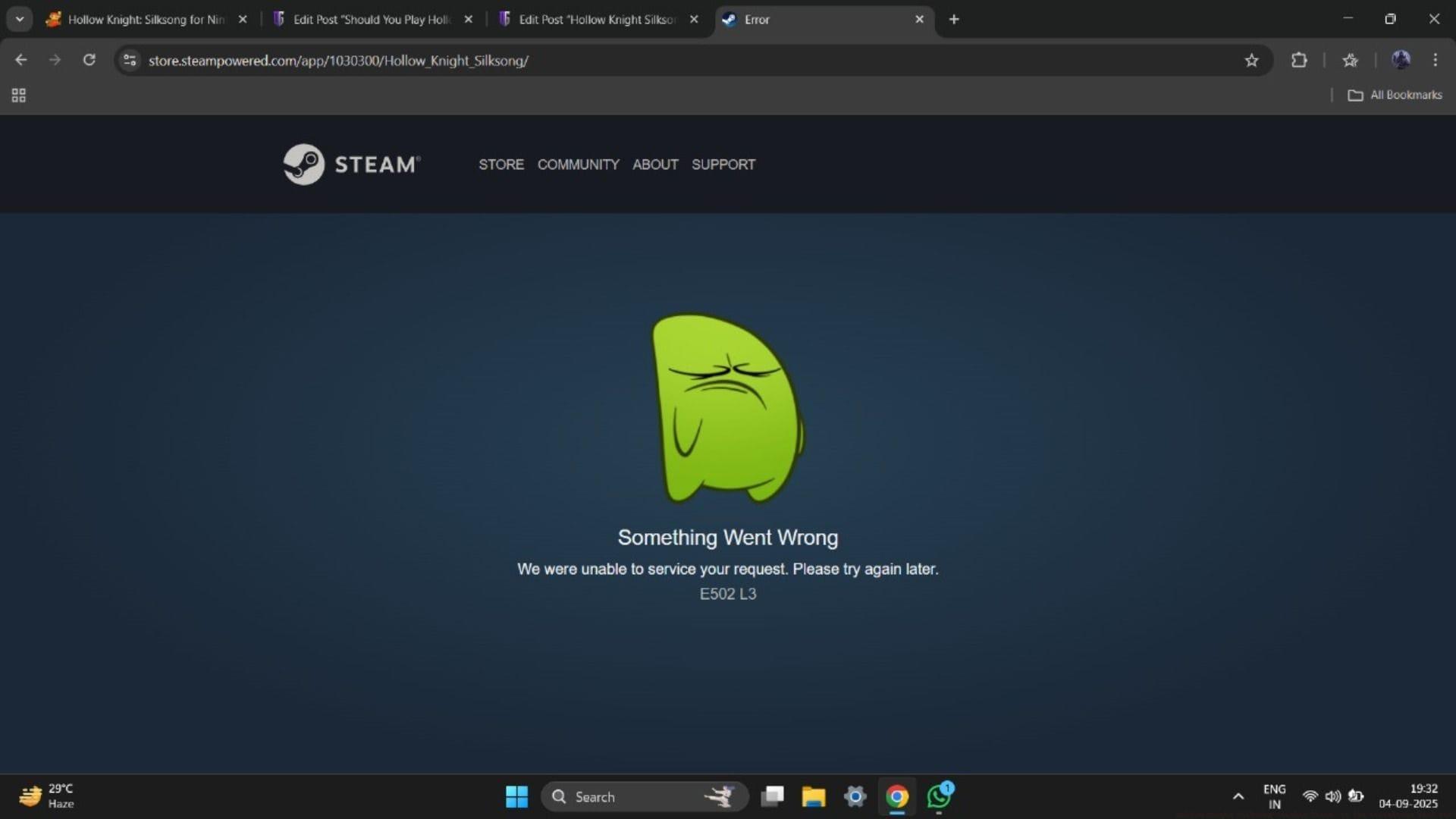
Hollow Knight Silksong’s highly anticipated launch created unprecedented server strain across multiple digital storefronts. The sequel’s scheduled release at 7 AM PT on September 4 immediately overwhelmed platform infrastructure, causing widespread accessibility issues. Steam’s storefront became completely inaccessible, redirecting purchase attempts to error pages displaying “Something Went Wrong” messages.
The server overload phenomenon represents a classic case of demand exceeding infrastructure capacity. When thousands of players simultaneously attempt to access a new release, authentication systems and content delivery networks face extraordinary pressure that often leads to temporary service degradation.
Cross-platform verification revealed identical issues affecting Nintendo’s Switch 2 eShop, confirming this was not an isolated platform problem but rather a systemic infrastructure challenge. The simultaneous multi-store crash demonstrates how major game launches can test the limits of even the most robust digital distribution systems.
Industry analysts note that such launch-day server issues have become increasingly common with blockbuster game releases, particularly when communities have built years of anticipation. The Hollow Knight fanbase’s passionate response to Silksong’s arrival created perfect conditions for this type of digital traffic jam.
Immediate Solutions for Xbox Game Pass Users
Xbox Game Pass subscribers and Xbox Windows App users encountered particularly frustrating authentication challenges. The platform displayed confusing error messages stating “Do you own this game or app?” despite valid subscriptions and pre-orders.
This specific error (code 0x803f8001) typically indicates content removal from Game Pass catalogs, creating unnecessary confusion during the launch chaos. In reality, the authentication servers simply couldn’t verify licenses amid the overwhelming verification requests.
Practical workaround: Purchase directly from Xbox Store while awaiting Game Pass authentication fixes. The direct purchase pathway often bypasses the subscription verification bottlenecks, providing immediate access. This temporary solution ensures you can start playing while Microsoft resolves the backend issues.
Critical verification steps for affected users include checking subscription status, verifying account region settings, and ensuring the Xbox app has necessary permissions. Many authentication failures stem from regional mismatches or outdated app caches rather than actual license problems.
Advanced users can attempt cache clearing procedures through Windows Store troubleshooting tools or try launching through different authentication pathways. The Xbox mobile app sometimes provides alternative access when desktop applications fail.
Advanced Troubleshooting Strategies
For players stuck at Xbox sign-in screens or facing persistent error messages, systematic troubleshooting often resolves the issues. Begin with basic steps: completely close and restart the Xbox application, verify internet connection stability, and check for pending system updates.
Server status monitoring provides crucial information during outage periods. Official Xbox Status pages and community forums offer real-time updates about authentication service health. When servers show degradation indicators, patience becomes the most effective strategy.
Platform-specific solutions vary significantly. Steam users should verify game file integrity through platform tools, while Xbox App users might need to reset the gaming services through Windows Settings. Nintendo Switch owners should check for eshop maintenance notifications.
Common mistakes to avoid include repeatedly attempting purchases during known outages (which may trigger fraud protection), deleting and reinstalling games unnecessarily, or making duplicate purchases across platforms. These actions often complicate resolution rather than accelerating access.
Preventative measures for future major releases include pre-loading games when available, ensuring platform applications are updated beforehand, and having alternative purchase methods ready. Early preparation significantly reduces launch-day frustration.
Community Insights and Real-World Experiences
Player experiences during the Silksong launch provide valuable lessons for future game releases. Some users successfully purchased immediately at the release moment before servers became overwhelmed, demonstrating that timing significantly impacts success rates.
Community reporting indicates that persistence and patience ultimately rewarded most players. As server loads gradually stabilized throughout the launch day, authentication systems began processing backlogged requests, granting access to previously locked-out users.
Official communication channels remain the most reliable information sources during such incidents. Team Cherry, Microsoft, and Valve typically provide status updates through social media and official support channels once they identify specific issues and implement solutions.
The gaming community’s collective experience suggests that major launch issues typically resolve within 2-6 hours as infrastructure scales to meet demand. Historical patterns from similar high-profile releases indicate that temporary outages don’t necessarily reflect long-term platform reliability.
For ongoing Hollow Knight Silksong coverage and related gaming content, explore our comprehensive guides and news updates covering character lore, gameplay mechanics, and upcoming content reveals.
No reproduction without permission:SeeYouSoon Game Club » Hollow Knight Silksong crashes Steam: is the storefront back yet? Complete guide to troubleshooting Silksong Xbox Windows App errors and server issues on release day