
TL;DR
- Microsoft Rewards converts everyday gaming activities into redeemable points across Xbox and PC platforms
- Game Pass quests offer daily, weekly, and monthly challenges with varying point rewards for completion
- Digital purchases earn 20 points per dollar spent plus bonus opportunities requiring activation
- Points can be redeemed for games, DLC, gift cards, and contest entries through the rewards portal
- Strategic quest completion and timing can maximize your point accumulation efficiency
Unlock the full potential of your Xbox Game Pass subscription by mastering the Microsoft Rewards ecosystem. This comprehensive system transforms your regular gaming activities into tangible benefits that can significantly reduce your gaming expenses.
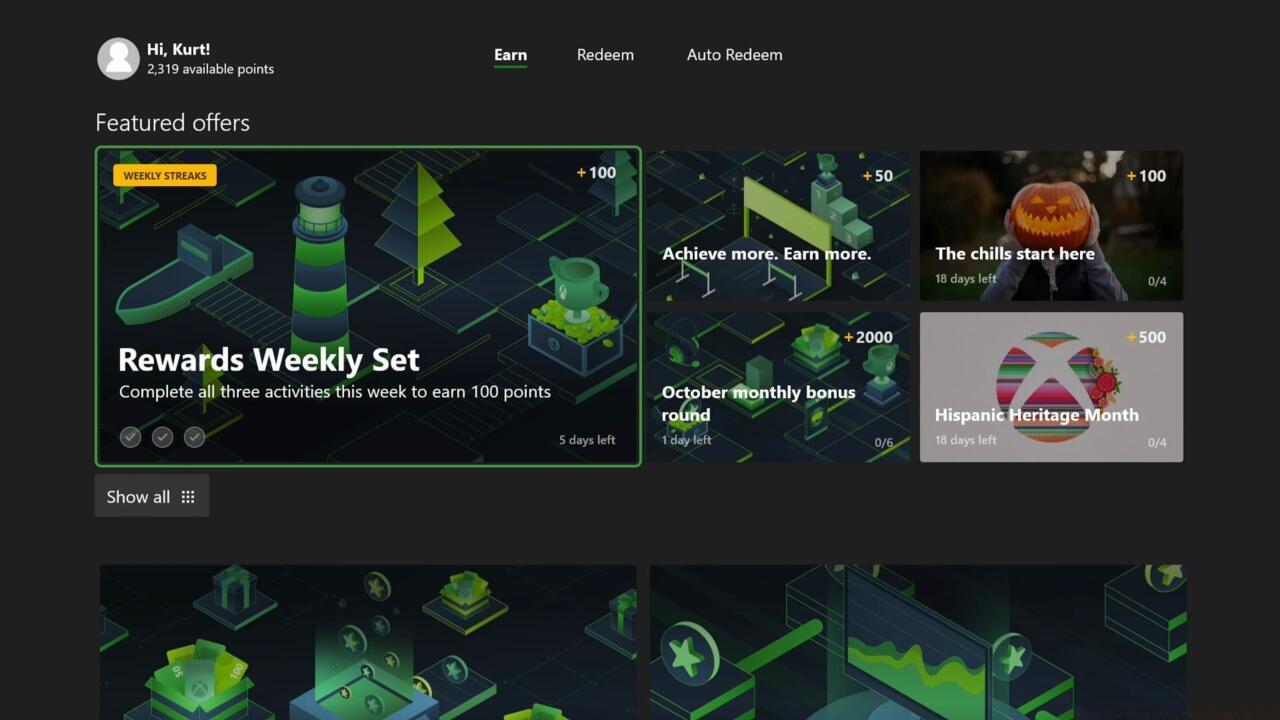
The main page of the Microsoft Rewards app on Xbox
Microsoft Rewards represents a sophisticated loyalty framework that systematically compensates users for engaging with Microsoft’s ecosystem. Your participation is automatically tracked through your Microsoft/Xbox account, with rewards accumulating based on specific activities across different platforms. PC and mobile users, for example, can accumulate points simply by utilizing Bing as their primary search engine, while console gamers have access to specialized earning opportunities.
Xbox enthusiasts benefit from multiple automated and manual point accumulation methods. Every digital game acquisition through the Xbox and Windows Store platforms generates automatic point deposits. The dedicated Microsoft Rewards application on Xbox consoles provides access to exclusive promotions, while the integrated Xbox Game Pass quest system offers structured challenges for additional rewards.
Maximize your point accumulation through strategic engagement with the three-tiered quest system and purchase optimization techniques.
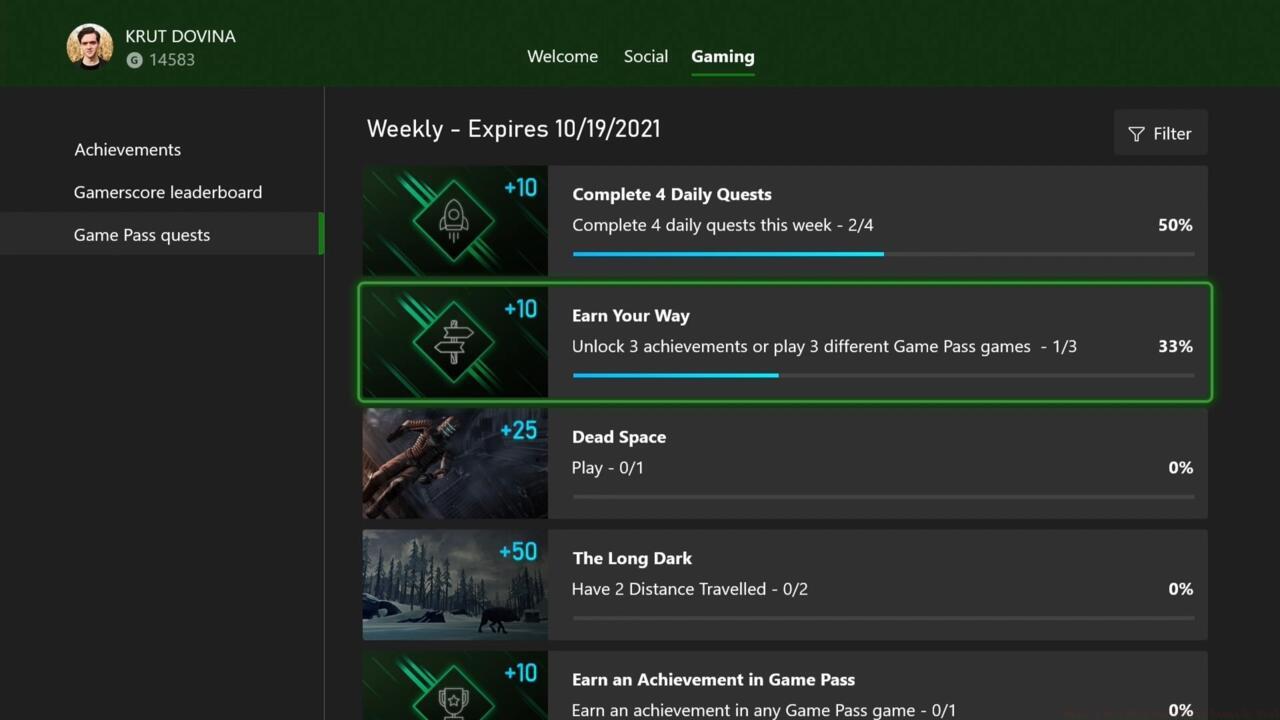
Xbox Game Pass quests
Access Xbox Game Pass quests through multiple convenient channels: the dedicated Game Pass section on your Xbox dashboard, your profile’s gaming segment, or the mobile Game Pass application. The system categorizes challenges into daily, weekly, and monthly objectives, each offering varying Microsoft Rewards point values. Most quests center around gameplay engagement and Achievement acquisition within the Game Pass library, including titles you personally own that overlap with the service’s offerings.
Game-specific objectives present targeted earning opportunities, such as collecting five items in Resident Evil 7: Biohazard or eliminating two adversaries in We Happy Few, with both missions providing 75 points upon completion. These specialized quests require manual submission after fulfillment, which can be executed either through the Game Pass rewards interface or via the automatic system notification that appears upon quest completion. Importantly, no pre-activation is necessary for these challenges.
Xbox participants additionally receive 20 reward points for each dollar expended on digital game acquisitions. The Microsoft Rewards application frequently features supplementary promotional opportunities, including bonus point allocations for securing Achievements in newly released titles. Enhanced purchase incentives can yield up to 6000 additional reward points for acquiring new games. Critical distinction: unlike Game Pass quests, these promotional offers mandate manual activation before participation.
Pro Tip: Complete daily quests consistently as they require minimal effort (like launching any Game Pass game for 5 points) and build toward monthly completion bonuses that can significantly boost your overall earnings.
Transform your accumulated points into valuable gaming assets through strategic redemption planning and timing.
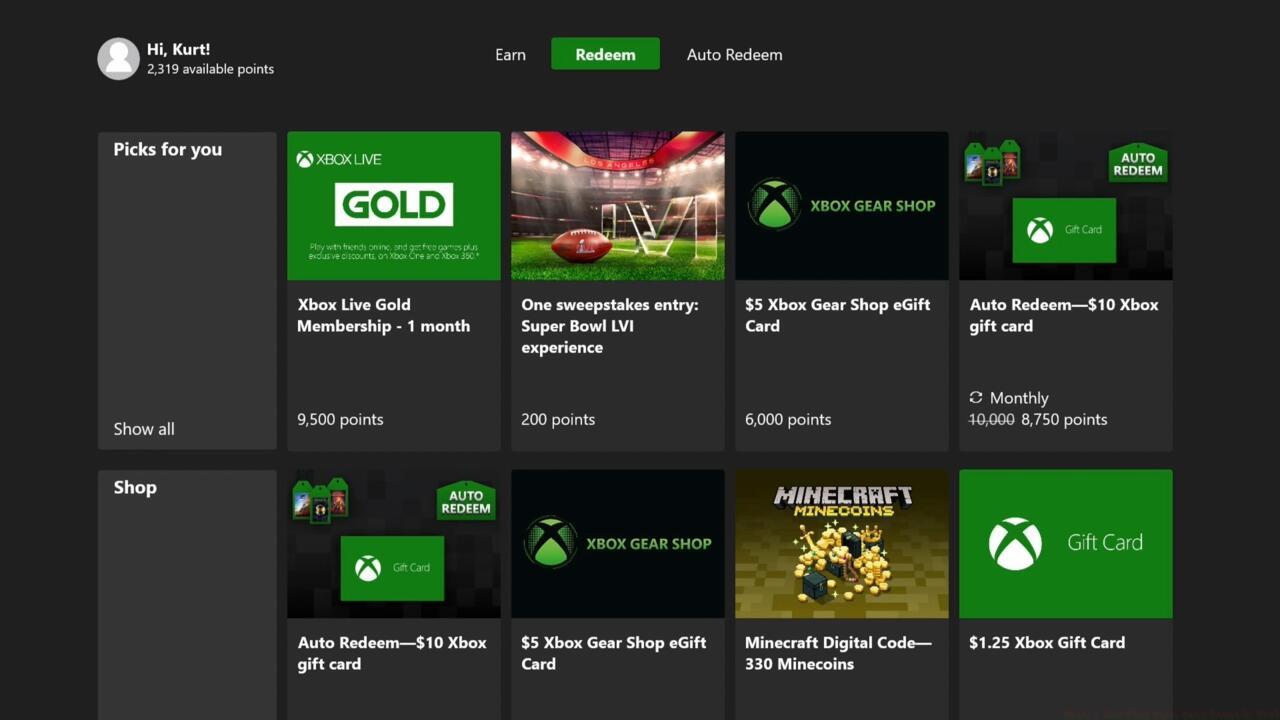
The Microsoft Rewards redemption page
Your Microsoft Rewards points unlock diverse redemption possibilities spanning digital game acquisitions, downloadable content, Microsoft Store credit, and exclusive contest entries. The redemption portal provides clear visibility into point requirements for each reward tier, enabling informed decision-making about when to redeem versus continue accumulating.
Common Pitfall to Avoid: Many users forget to manually activate bonus offers in the Rewards app, missing out on thousands of potential points. Set a weekly reminder to check for new offers requiring activation.
For those interested in broader gaming strategies, our Complete Guide to Battlefield 6 offers comprehensive tactical insights that complement your rewards earning activities.
Advanced redemption strategy: Monitor point expiration policies (typically 18 months of inactivity) and plan redemptions around seasonal sales to maximize the value of your accumulated points. Consider saving for higher-tier rewards that offer better point-to-value ratios rather than frequent small redemptions.
Action Checklist
- Download the Microsoft Rewards app on your Xbox and complete daily check-ins
- Complete at least one Game Pass quest daily and track weekly/monthly progress
- Activate all bonus offers in the Rewards app before making purchases or earning Achievements
- Check weapon unlock requirements in our Weapons Unlock guide to efficiently complete related quests
- Redeem points during promotional periods for maximum value and monitor expiration timelines
No reproduction without permission:SeeYouSoon Game Club » Here’s How Xbox Game Pass Rewards Work Master Microsoft Rewards to maximize your Xbox Game Pass benefits and earn free games and DLC