
TL;DR
- Equip your camera instead of directly interacting with rides to board them
- Position yourself strategically near the ride until it highlights before activating camera mode
- Utilize the expanded photo options for creative selfies with visiting friends
- Press cancel button to exit rides and remember camera requirement for repeat boarding
- Rides are exclusively obtained through Star Paths and Premium Shop purchases
Disney Dreamlight Valley offers numerous interactive experiences, but the ability to actually ride your decorative attractions represents one of the most exciting additions from the Thrills & Frills update. Previously, these elaborate installations served purely aesthetic purposes, but now you can actively engage with them through a clever camera-based boarding system.
Your ride collection grows through specific acquisition methods. Star Path events provide limited-time opportunities to earn unique attractions, while the Premium Shop offers exclusive rides for purchase. Understanding these sources helps you strategically expand your valley’s amusement offerings.
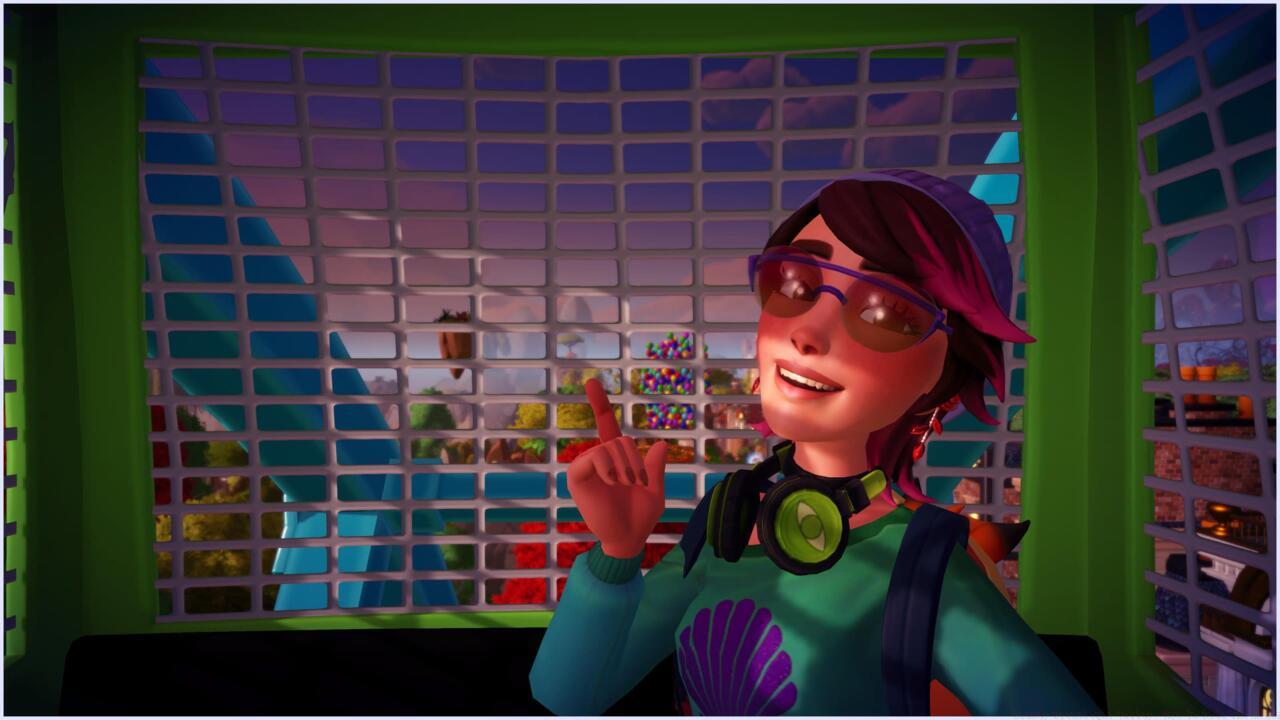
Camera equipment serves as your boarding pass for all interactive attractions in the valley.
The boarding process requires an unconventional approach that many players overlook. Instead of directly interacting with rides, which merely activates or deactivates their animation, you must first access your inventory and equip your camera as the primary tool for mounting attractions.
Mastering the ride boarding sequence transforms your valley experience from passive decoration to active participation. Begin by ensuring your camera is equipped from the inventory menu, then approach your desired attraction while maintaining proper positioning.
Position yourself within close proximity to the ride until visual feedback indicates selection—typically a highlight glow or border around the attraction. This confirmation signal ensures you’re in the correct boarding position before proceeding with camera activation.
Press the action button to deploy your camera once properly positioned. This transitions you directly into the ride’s seating area while simultaneously entering photo mode. The interface provides extensive creative controls for capturing your amusement park moments.
Multiplayer functionality enhances the experience significantly. When friends visit your valley through online features, you can coordinate boarding the same ride together to capture memorable group selfies against the backdrop of your carefully designed landscape.
Camera mode on rides unlocks sophisticated photography capabilities beyond standard snapshot features. You gain access to filters, frames, poses, and angles specifically designed for attraction-based photography, allowing professional-quality captures of your valley adventures.
Exiting rides follows a straightforward but important procedure. Simply press the cancel button to disembark safely. Remember that the camera requirement persists for subsequent boarding attempts—failing to re-equip it prevents remounting rides.
Common mistakes include attempting to board without camera equipment or positioning too far from the attraction. Ensure you’re within interaction range and have properly equipped the camera before expecting successful boarding.
For players seeking to master all aspects of Disney Dreamlight Valley, our Complete Guide provides comprehensive strategies for optimizing your gameplay experience across all features and mechanics.
Advanced optimization involves timing your ride photos during golden hour lighting or coordinating with special events for unique backdrop opportunities. These techniques elevate your photo collection from simple snapshots to curated artistic expressions.
Action Checklist
- Acquire rides through Star Path events or Premium Shop purchases
- Equip camera from inventory before approaching attractions
- Position character near ride until visual highlight appears
- Press action button to board ride and enter camera mode
- Experiment with photo filters, poses, and angles for creative shots
- Coordinate with visiting friends for multiplayer ride selfies
No reproduction without permission:SeeYouSoon Game Club » Disney Dreamlight Valley: How To Ride The Rides Master Disney Dreamlight Valley rides with camera mechanics, photo opportunities, and multiplayer selfies