
TL;DR
- Pro Designs require 800 Nook Miles and upgraded Resident Services for advanced clothing customization
- QR code scanning needs Nintendo Switch Online subscription and NookLink app integration
- Design organization uses separate tabs for standard and pro patterns with specific navigation controls
- Online converters can transform real images into game-compatible patterns for expanded creativity
- Proper connection setup and design management prevents common import errors and saves time
Custom Designs transform your Animal Crossing: New Horizons island into a personalized paradise through creative pattern applications. This comprehensive guide covers everything from basic pattern creation to advanced clothing design techniques.
Your NookPhone’s Custom Designs application serves as the central hub for unleashing creativity across furniture, apparel, and terrain. Unlike previous series entries, New Horizons introduces sophisticated layering capabilities that allow intricate designs to wrap around 3D objects seamlessly.
Third-party conversion tools available online can process your favorite photographs into downloadable patterns, expanding creative possibilities beyond manual pixel art. These converters maintain compatibility with designs from Animal Crossing: New Leaf, Happy Home Designer, and current New Horizons creations.
Seasoned players recommend starting with simple ground patterns before advancing to complex clothing designs. This progressive approach builds essential skills while avoiding the frustration of advanced techniques.
Pro Designs represent the pinnacle of creative expression in New Horizons, offering specialized templates for detailed garment customization. These advanced tools cater to fashion-forward players seeking precision in their apparel creations.
The extensive Pro Design catalog includes templates for tank tops, short-sleeve shirts, long-sleeve shirts, sweaters, hoodies, coats, diverse dress styles, robes, brimmed caps, knit caps, and formal hats. Each template provides unique layering options that standard patterns cannot achieve.
Acquiring Pro Design capabilities requires purchasing the upgrade through the Nook Stop terminal for 800 Nook Miles. This premium feature becomes accessible only after completing the Resident Services building construction project.
Strategic Nook Miles management is crucial—prioritize this upgrade if fashion customization aligns with your island vision. Many players overlook that Pro Designs also work for umbrella and flag creations, expanding their utility beyond clothing applications.
Importing legacy designs from New Leaf and Happy Home Designer necessitates the Nintendo Switch Online application installed on iOS or Android devices. This mobile companion enables seamless pattern transfer through QR code technology.
After installation, authenticate using your Nintendo Account credentials and navigate to the Animal Crossing: New Horizons Game-Specific Service, commonly referred to as NookLink. Accessing this service mandates an active Nintendo Switch Online subscription for connectivity features.
The QR scanning interface activates by selecting the Designs option, presenting a camera viewfinder for code recognition. Successfully scanned patterns queue for transmission to your island repository.
Establish connection between your Nintendo Switch and NookLink from the Animal Crossing: New Horizons title screen by pressing the Minus button to access settings. Choose NookLink configuration and affirm with “Yes, please!” while ensuring stable internet connectivity for reliable pairing.
Common connectivity issues often stem from outdated app versions or unstable wireless networks. Always verify both devices connect to the same network and restart both applications if pairing fails initially.
Following successful app pairing, imported designs populate the Custom Designs application under the dedicated “Pro Designs” section. Final download confirmation requires pressing the Plus button within the app and allocating storage space for each pattern.
Navigate between standard and Pro Design categories using the R button while in the application interface. This organizational separation prevents clutter and streamlines your creative workflow.
Expert players recommend creating a naming convention and dedicating specific design slots for different purposes (seasonal, thematic, functional). This systematic approach saves significant time when searching for specific patterns later.
For optimal organization, consider our Class Guide principles of categorization applied to your design library.
Avoid the common mistake of filling design slots haphazardly—plan your allocation strategy early. Most players require approximately 2-3 hours to master basic Pro Design techniques, while advanced garment creation may take 5+ hours to perfect.
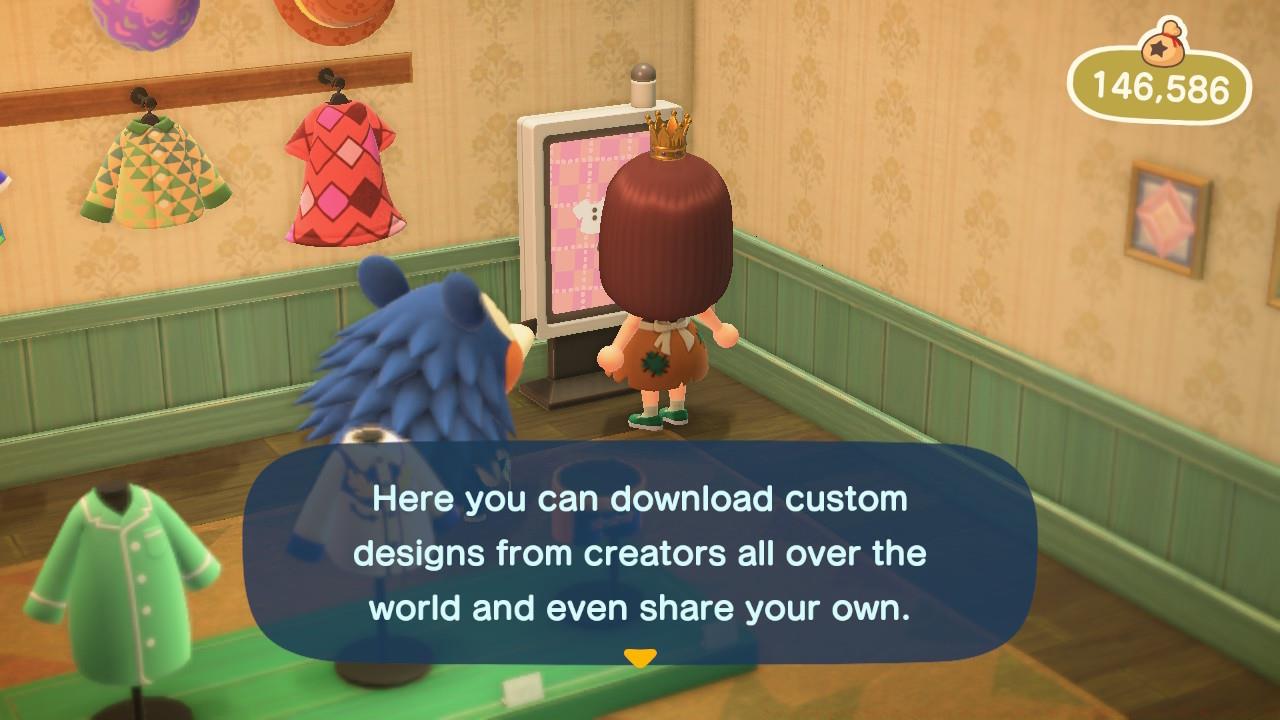
Optimization strategies include creating design templates for seasonal updates and backing up favorite patterns through multiple save methods. The design kiosk in Able Sisters’ shop offers additional storage and sharing capabilities worth exploring.
For comprehensive gaming strategies beyond design, consult our Complete Guide for cross-title insights.
Advanced creators should reference our Weapons Unlock methodology for systematic progression approaches.
Remember that custom designs significantly enhance island evaluation scores, making them valuable beyond aesthetic considerations alone.
Action Checklist
- Upgrade Resident Services building to unlock Nook Stop Pro Designs
- Purchase Pro Design upgrade for 800 Nook Miles
- Download Nintendo Switch Online app and activate NookLink
- Scan QR codes using mobile app and connect to game
- Organize design slots with systematic naming convention
- Practice Pro Design techniques starting with simple templates
No reproduction without permission:SeeYouSoon Game Club » Custom Designs In Animal Crossing: New Horizons – QR Codes, Pro Designs, And More Explained Master custom designs in Animal Crossing: New Horizons with pro patterns, QR codes, and creative tools