
TL;DR
- Optimize deadzone settings between 0.04-0.06 based on controller wear for maximum responsiveness
- Use tactical button layout for slide-canceling and drop-shotting without sacrificing thumbstick control
- Balance horizontal/vertical sensitivity at 6 with 1.00 ADS multiplier for consistent target tracking
- Avoid common mistakes like excessive deadzone and mismatched sensitivity settings that hurt accuracy
- Implement advanced techniques like trigger stop adjustments and custom response curve tuning
Precision controller configuration separates average players from elite competitors in Warzone’s intense battle royale environment. The difference between winning and losing often comes down to milliseconds of reaction time and pixel-perfect accuracy that proper settings enable.
As Warzone’s meta evolves with each content update, maintaining optimized controller settings becomes crucial for fast looting efficiency and winning critical gunfights. This comprehensive guide provides professional recommendations to dramatically improve your accuracy and overall performance whether you’re playing on console or PC with a controller.
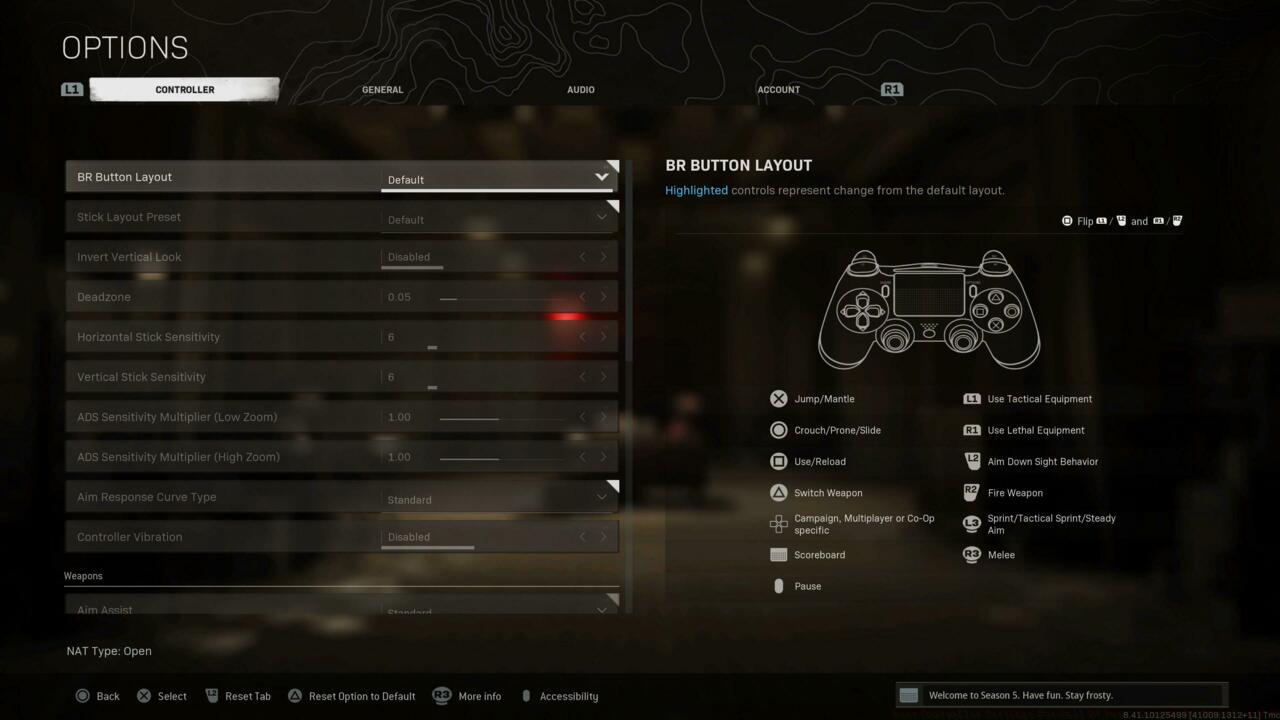
General controller settings visualization for optimal performance
Button Layout Strategy: The BR Button Layout offers two primary competitive options. Default layout provides familiarity but limits advanced movement, while Tactical layout moves crouch/slide to the right stick click, enabling seamless slide-canceling and drop-shotting without removing thumbs from sticks.
Stick Configuration: Stick Layout Preset should remain at Default for most players, as this provides the most natural thumbstick response curve. Advanced users might experiment with Linear for more direct input mapping.
Deadzone Optimization: Controller deadzone settings critically impact responsiveness. Start at 0.05 and test downward to 0.04 if your controller doesn’t exhibit stick drift. Worn controllers may require 0.06-0.07 to prevent accidental movement inputs.
- BR Button Layout: Default or Tactical
- Stick Layout Preset: Default
- Invert Vertical Look: Disabled
- Deadzone: 0.05 (Test range 0.04-0.07 based on controller condition)
- Horizontal Stick Sensitivity: 6
- Vertical Stick Sensitivity: 6
- ADS Sensitivity Multiplier (Low Zoom): 1.00
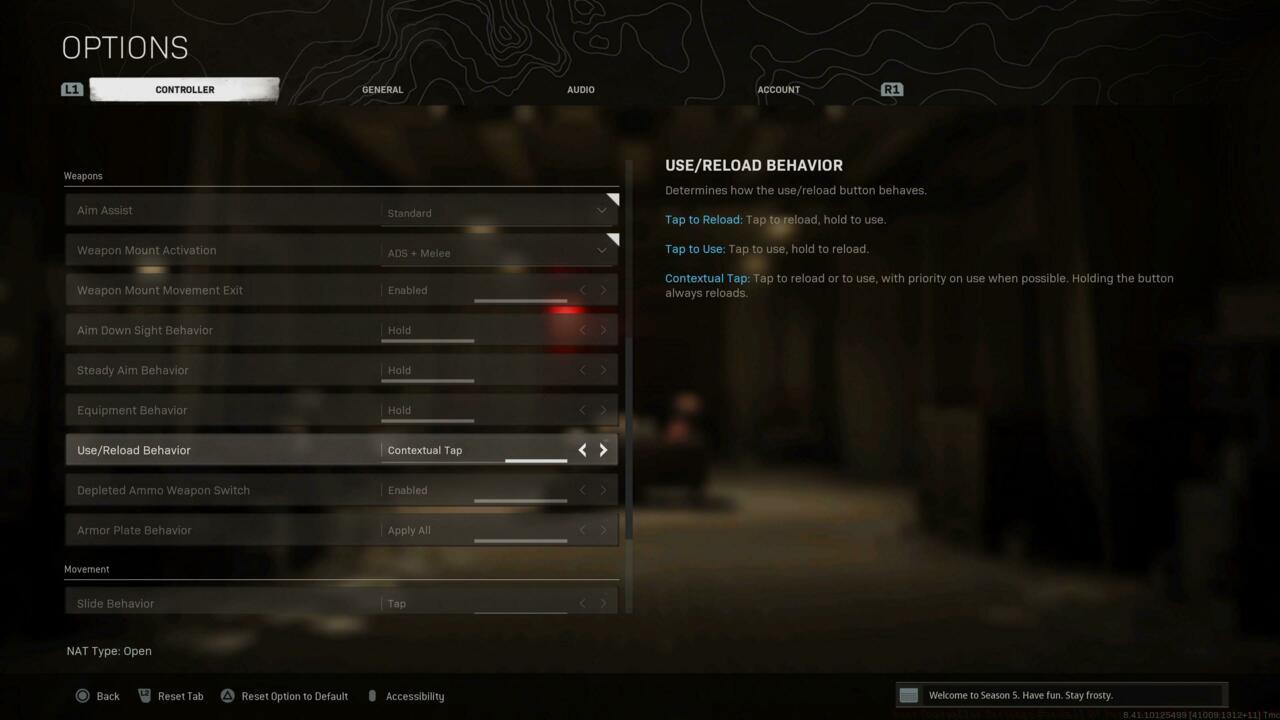
Weapon-specific settings for enhanced combat performance
ADS Sensitivity Mastery: Maintaining ADS Sensitivity Multiplier at 1.00 creates consistency between hip-fire and aimed shooting. For sniper-focused loadouts, consider adjusting High Zoom multiplier to 0.85-0.90 for better long-range precision.
Movement Optimization: Auto-move and auto-tactical sprint should be disabled for maximum movement control. These automated features often interfere with precise positioning and make predictable movement patterns that skilled opponents can exploit.
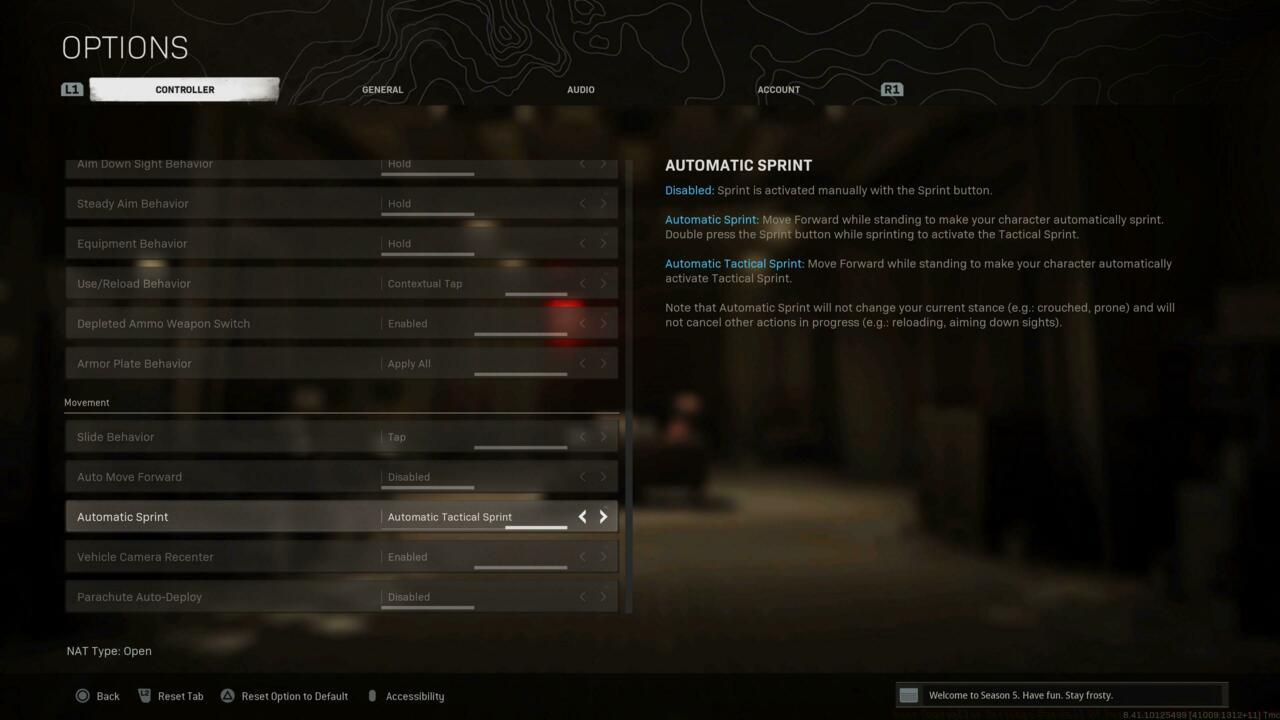
Movement configuration settings for tactical positioning advantage
Advanced Techniques: Experienced players should explore custom response curves and trigger stop adjustments. Reducing trigger deadzones can shave valuable milliseconds off your time-to-fire in close-quarters engagements.
Deadzone Pitfalls: Setting deadzone too high (above 0.08) creates significant input lag and reduces fine-aim control. Conversely, excessively low deadzone (below 0.03) on worn controllers causes erratic reticle movement from minimal stick drift.
Sensitivity Overcompensation: Many players mistakenly use extreme sensitivity settings (8+) thinking it improves reaction speed, but this typically sacrifices precision and makes consistent target tracking nearly impossible.
Layout Misconfigurations: Choosing complicated button layouts like Bumper Jumper or Stick and Move without proper adaptation time often leads to frustrated gameplay and missed inputs during high-pressure situations.
Pro Tip: Always test new settings in Plunder or Battle Royale practice modes before committing to ranked play. Document your performance changes to make data-driven optimization decisions rather than following trending setups blindly.
Action Checklist
- Test controller deadzone starting at 0.05, adjusting downward if no stick drift detected
- Configure BR Button Layout to Tactical for advanced movement techniques
- Set horizontal/vertical sensitivity to 6 with 1.00 ADS multiplier
- Disable auto-move and auto-tactical sprint features for manual control
- Practice new settings in Plunder mode for 3-5 matches to build muscle memory
No reproduction without permission:SeeYouSoon Game Club » Best Controller Settings For Call Of Duty: Warzone On Console And PC Master Warzone controller optimization with pro settings, advanced techniques, and common mistake avoidance