Complete ARC Raiders Cold Snap update guide with snow conditions, weapon balancing, and essential gameplay improvements
Introduction to Cold Snap Update
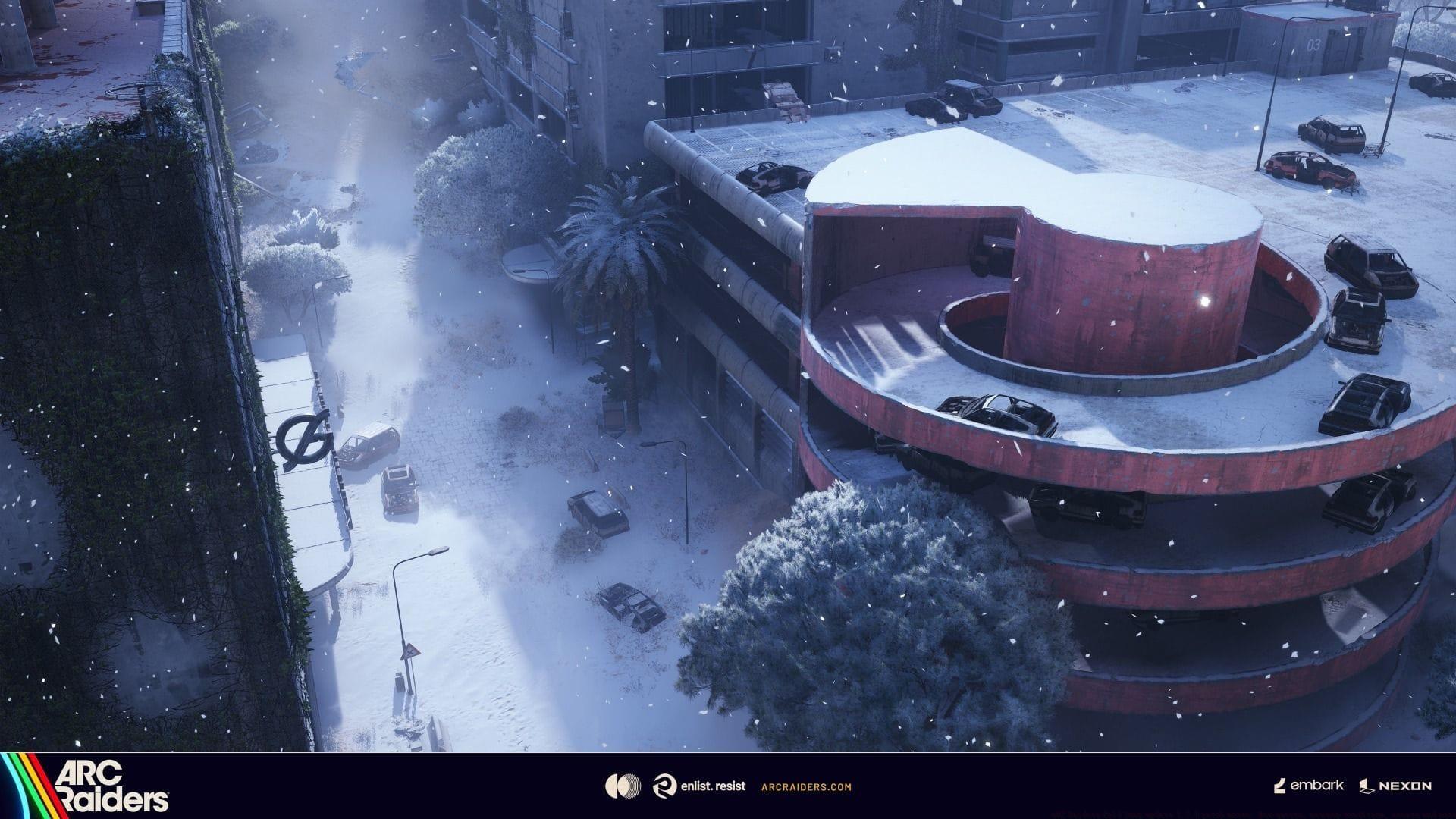
ARC Raiders Cold Snap update transforms all maps with winter conditions (Image via Embark Studios)
ARC Raiders Cold Snap update transforms all maps with winter conditions (Image via Embark Studios)
ARC Raiders Cold Snap update 1.7.0 patch notes introduce comprehensive winter transformations across the gaming landscape. The highly anticipated snow mechanics now blanket every map, creating hazardous weather patterns that fundamentally change navigation and combat dynamics. Beyond the visual overhaul, this substantial content drop delivers fresh questlines, skill tree flexibility, and numerous quality-of-life enhancements that collectively elevate the player experience.
Weapon Balancing and Combat Improvements
Developer Insight: These modifications target Bettina’s over-reliance on secondary weapons, enhancing its PVP viability while preserving its PVE dominance. Internal metrics confirm this weapon remains the top-performing PVE option at its rarity tier (excluding Hullcracker). Durability alignment with other assault rifles creates more consistent performance expectations.
Durability Burn Rate decreased from approximately 0.43% to 0.17% per discharge
Practical testing shows durability depletion extended from 12 full magazines to 26 complete reload cycles (factoring in expanded capacity)
Base Magazine Size upgraded from 20 to 22 rounds
Base Reload Time shortened from 5 to 4.5 seconds
Developer Analysis: While Rattler maintains its deliberate combat role rather than close-quarters competition with Stitcher or Kettle, these incremental improvements narrow the PVP time-to-kill gap at entry levels. The weapon continues emphasizing tactical positioning, controlled burst firing, and reload management rather than aggressive engagements.
Base Magazine Size expanded from 10 to 12 rounds
Weapon knockback effects reduced while movement speed and rotational responsiveness increased
Expanded Great Mullein spawn location variety across all maps
Relocated Matriarch spawn position in Dam Battlegrounds to better utilize combat strengths
Adjusted Container Storage locked room protection boundaries on Spaceport to exclude external players
Added Locked Gate map condition
Modified Blue Gate boundary ledge parameters to improve navigation and reduce abrupt out-of-bounds interruptions
Enhanced Blue Gate tree Level of Detail transitions to minimize distant visual darkness
Fixed loot spawning outside Village Locked Room boundaries
Added environmental props and visual indicators to ‘A First Foothold’ final camp for objective location clarity
Increased specific item and blueprint spawn frequency in Stella Montis
Certain Stella Montis breachable containers no longer produce Rubber Ducks with A Little Extra skill activation
Adjusted Stella Montis window transparency for improved visibility
General stability improvements addressing various crash scenarios (including AMD-specific issues)
Implemented Skill Tree Reset functionality costing 2,000 Coins per skill point reallocation
Wallet interface now displays Cred soft cap limitation (800 units)
Developer Rationale: We implemented the cap to prevent complete Raider Deck unlocking through Cred accumulation while expanding Shani’s store inventory. Raider Decks provide engaging progression systems during gameplay, and excessive Cred reserves undermine this design intention. Pre-existing Cred balances remain unaffected.
Added Raider Tool customization options
Fixed gear loss and default customization spawning bug causing loadout item disappearance
Leaderboard promotion zones expanded 3x for top 5 players up to Daredevil I rank with additional objectives
Resolved tutorial door breach cancellation preventing cutscene activation and progression blocking
Fixed continuous door breaching while incapacitated
Corrected Discord invite acceptance failures with unlinked accounts preventing party placement
Fixed texture and mesh quality state flickering
Depth of field scaling now correctly adjusts based on resolution settings
Resolved alt-tab return input blocking where movement and ability commands failed while camera controls remained functional
Enhanced input management during window focus regaining to prevent mode switching anomalies
Effortless Roll skill provides increased stamina cost reduction
Calming Stroll skill now activates during Aim Down Sights movement
Fixed crouched traversal blocking jump/climb functionality in specific areas
Resolved ladder climbing automatic detachment over open gaps
Added minimal stamina expenditure for slide initiation
Reduced acceleration during slide-to-dodge roll transitions
Added Aim Down Sights toggle option
Introduced ‘Cinematic’ graphics preset for high-performance PC visual enhancement
Improved damage tracking accuracy in player statistics
Field-crafted items now properly contribute to Codex Player Stats
Fixed Codex Records audio absence
Added Codex video replay section for previously viewed content
Updated PlayStation 5 controller button icons for Options and Share functions
Fixed Xbox Show Profile crash from Player Info interface
Added character rotation in customization screen and resolved initial equip unintended unequip bug
Added Character Customization notifications highlighting newly unlocked items
Further reduced end-of-round feedback survey frequency
Added optional Round Feedback button on final match screen for post-game survey access
Added show/hide tooltip guidance to Raider Projects screens (Expedition and Seasonal)
Added ‘Expeditions Completed’ metric to Player Stats
Implemented Expedition stage resource tracking: Raider Projects display requirement quantities and progression with in-round updates
Added reward visualization to Raider Projects showing objective completion and Expedition finale rewards
Fixed Raider Projects input conflict where resource tracking simultaneously opened About Expeditions window; prompt hidden during Load Caravan addition
Resolved inventory right-click menu closure resetting gamepad focus to incorrect slots
Fixed inventory tooltip flickering
Inventory opening during breach interactions now cancels to prevent animation glitches
Adjusted inventory layout to prevent immediate tooltip appearance upon opening
Fixed weapon slot right-click menu absence after controller navigation from empty attachment slots
Resolved Blue Gate rooftop ladder climb prompt disappearance
Fixed specific interaction icon failure during gameplay
Corrected “revived” event tracking
Fixed persistent zipline interaction prompts blocking new zipline use; prompts clear at range limits
Quick equip wheel maintains stable layout without empty slot collapse
Updated multilingual in-game text based on localization review and player feedback
Added grenade and throwable item cancellation prompts
Fixed in-game input hints to match key bindings with clear hold/toggle labels. Enhanced binocular hints for aim toggle and updated Snap Hook/integrated binocular aiming support
Extended tutorial hint duration after action completion for readability and smooth dismissal
Fixed input hint persistence after incapacitation
HUD markers prioritize closer player proximity for legibility
Resolved incorrect item icon display
Fixed spectator mode user hint display
Strongroom racks and power stations display completion colors when carrying capacity fulfilled
Fixed reconnection character state corruption with incorrect HUD elements and camera misplacement
Slightly delayed initial loot screen opening and search transition during interactions
Added Live Events carousel to main menu with Raider Project overview click/hover interactions
Fixed Weapon Upgrades tab location instability
Resolved Home screen background Raider popping artifact
Installed workstations no longer appear in workstation installation view
Added notification navigation to relevant screens including direct recipe access
Upgrade Weapon Tab now accurately displays magazine capacity increases
Fixed map screen unresponsiveness during live events
Item inspection rotation now hides UI except inspected item
Free Raider Deck content displays as “Free” rather than “0”
Added Main Menu carousel featuring Quests and Raider Deck shortcut with improved gamepad widget navigation
Fixed Scrappy screen gamepad navigation to quick navigation list
Ground pickups display quest/tracking icons with enhanced quest interaction styling
Quest acceptance/completion shows loading state during server communication
Resolved rapid quest video skipping soft-lock after first Supply Depot quest completion
Updated quest objective interaction text for clarity
Revised Unexpected Initiative Moisture Probe and EC Meter quest item names/descriptions
Enhanced quest objective ping information with clearer Filtration System and Magnetic Decryptor markers
Adjusted quest/tracking icon colors in interaction hints for improved visibility
Added motion blur intensity adjustment slider
Updated video settings effect and quality level tooltips with clearer descriptions
Added input action ‘Hold’ or ‘Toggle’ labels in parentheses
Fixed flash effect Invert Colors setting ignorance; option now available
Resolved settings crash during rapid slider adjustment
Added Windows microphone permission guidance when required
Fixed video settings opening crash
Resolved Options category screen input response after exit
Eliminated store purchase cancellation error messages
New store products display discovery indicators
Fixed Discord friend status inaccuracies after Online/Invisible transitions; presence updates correctly upon reconnection
Added Social interface Party Join icon for clearer invitation visualization
Fixed Social right-click menu persistence and stacking after rapid gamepad open/close cycles
Corrected ARC stun duration tooltip inaccuracies
Tooltips reposition to maintain full visibility across resolutions
Fixed completed goal reward tooltips showing ‘Blueprint already learned’; now display correct rewards and only show ‘Blueprint learned’ for actual blueprints
Trials objectives clearly indicate bonus condition availability via Map Conditions
Fixed missing Trial rank icon on Player Stats screen after game launch
Added Trials ranking explanation popup clarifying worldwide final rank
Implemented Microphone Test functionality
Enhanced automatic VOIP input/output device problem detection
Mouse thumb button push-to-talk no longer triggers menu ‘Back’ commands
Fixed party member voice chat status icon incorrect muting until speech initiation
HUD VOIP icons hidden when voice chat disabled; personal party VOIP icon shows disabled state
Increased Epic key card room loot value reflecting rarity
Expanded blueprint spawn locations improving underrepresented area availability
Relocated Aphelion blueprint drop from Matriarch to Stella Montis
Fixed action capability loss when interacting with carryables during network issues or revival while holding objects
Resolved Deadline wall penetration damage
Fixed deployable attachment launches and environment penetration when struck
Keys remain in safe pocket during Unload backpack use
Corrected Flame Spray excessive damage to certain ARC units
Fixed sticky throwable (Trigger ‘Nade, Snap Blast Grenade, Lure Grenade) disappearance when thrown at trees
Corrected deployable item range calculation errors
Fixed mine triggering failure before arming completion
Instrument playing applies ‘Vibing Status’ effect to nearby players
Fixed Rubber Duck placement in Augment Trinket slots
Set integrated binoculars and shield charger weight to 0
Lighter ARC units experience slight melee attack knockback
Fixed stowed weapon visibility on initial spawn
Patched energy weapon reload without ammo consumption exploit
Aiming-down-sights resumes after interruption while aim button held (post-reload or stun)
Fixed shotgun fire cooldown bypass exploit
Resolved ‘Greasing Her Palms’ quest accidental objective triggering
Improved Buried City ESR Analyzer quest item visibility
Enhanced ‘Marked for Death’ quest clue clarity
Fixed multiple quest video triggering
Added spare key discovery interactions for locked room quests
Added unique quest items to ‘Unexpected Initiative’
Fixed squad sharing incorrect completion of quest-specific item spawning objectives
AMD Radeon RX 9060 XT users receive driver warning despite latest version fixing Blue Gate GPU crashes
Stash overflow items excluded from final departure screen value but included in reward calculations
Technical Performance and Bug Fixes
The Cold Snap update delivers substantial technical refinements addressing stability concerns across all platforms. AMD-specific crash scenarios receive particular attention, with driver compatibility improvements reducing GPU-related disruptions. Network synchronization enhancements minimize connection-based gameplay interruptions, while comprehensive collision detection upgrades prevent terrain exploitation and navigation obstacles.
Audio engineering improvements create more immersive environmental awareness, with directional sound cues providing critical enemy positioning information. The removal of unsettling ambient vocalizations and volume balancing creates more consistent auditory experiences across different menu states and gameplay scenarios.
Advanced Strategies and Pro Tips
Weapon Loadout Optimization: With Bettina’s improved durability and magazine capacity, consider pairing it with close-range specialists for balanced engagement coverage. The reduced reload time enables more aggressive positioning, while the durability extension allows extended firefights without weapon degradation concerns.
Snow Navigation Tactics: The new weather conditions significantly impact mobility and visibility. Plan routes that utilize covered pathways and indoor transitions during severe weather periods. Snow accumulation can conceal environmental hazards, so maintain cautious movement in unfamiliar territory.
Resource Management: The Cred soft cap necessitates strategic spending rather than hoarding. Prioritize essential blueprint acquisitions and consider skill resets before major currency investments. Dynamic Security Locker spawning requires adaptable looting patterns rather than memorized routes.
Quest Efficiency: Enhanced quest tracking and marker systems enable more focused objective completion. Utilize the improved ping system for squad coordination, and take advantage of the new visual cues in ‘A First Foothold’ for rapid camp navigation.
Combat Adaptation: Shredder behavioral changes demand adjusted engagement tactics. Their accelerated combat initiation requires proactive positioning, while increased destructible components create additional tactical opportunities during encounters.