
TL;DR
- Private matches require 30 players for Battle Royale and 6 for Arenas modes
- All platforms support private matches with temporary chat limitations on consoles
- Only maps currently in public rotation are available for private play
- Observer mode provides advanced spectator tools for tournament broadcasting
- Admin settings allow extensive customization of gameplay parameters
Respawn Entertainment has revolutionized community gaming by introducing instant private tournament hosting capabilities. This long-requested feature transforms how players organize competitive sessions outside official esports circuits like ALGS.
The Spellbound Collection Event brought more than just magical cosmetics to Apex Legends. Its most significant addition enables players to create exclusive gaming sessions with friends and establish custom competitive events. This development significantly enhances the grassroots competitive ecosystem.
Many community members have expressed confusion about specific requirements, particularly the 30-player minimum for battle royale matches. This comprehensive guide addresses all aspects from limited-time mode compatibility to advanced personalization settings, plus expert advice for running successful tournaments.
Cross-platform accessibility is fully functional, though Respawn acknowledges temporary voice chat restrictions on PlayStation and Xbox due to a technical issue currently under investigation. Beyond this temporary limitation, all gaming systems provide equal access to private match functionality.
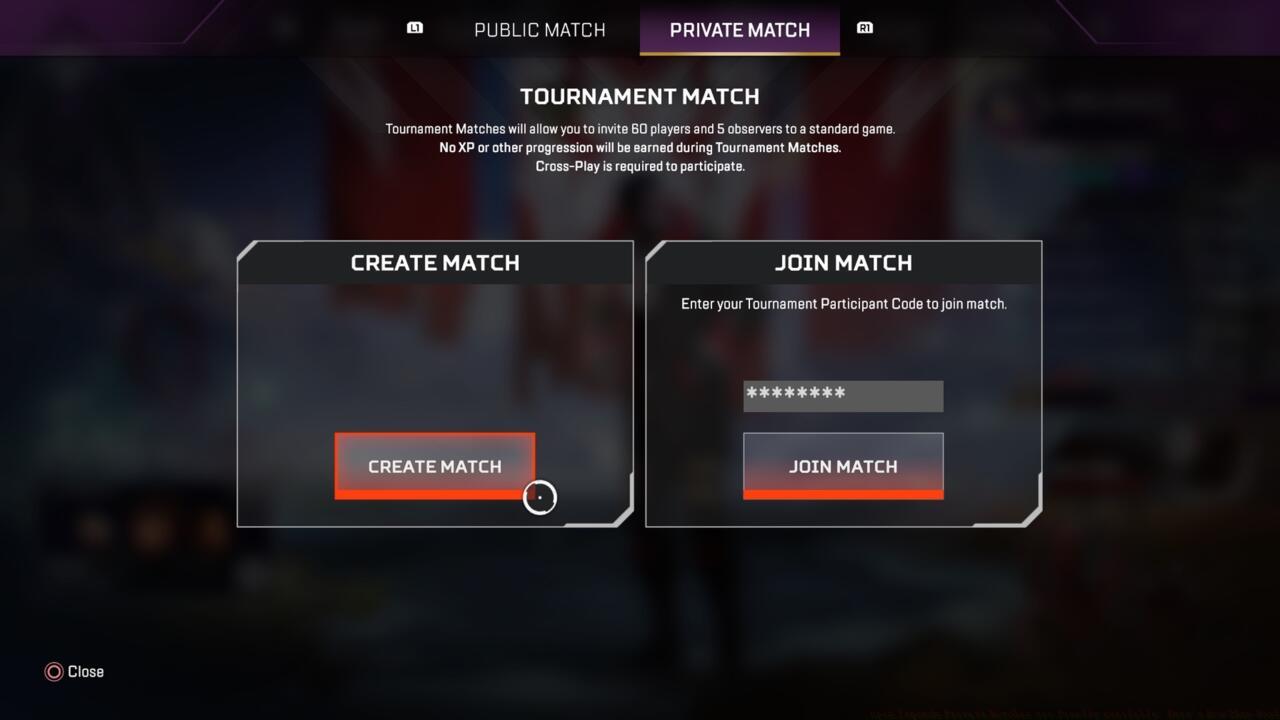
Private matches are accessible via the same menu players use to join public matches.
Players enjoy unlimited access to private gaming sessions across both primary game formats. The traditional battle royale experience and structured 3v3 Arenas combat are both fully supported. Currently, limited-time modes remain unavailable, though developers have indicated potential future integration.
Map selection follows a straightforward principle: any location currently featured in the seasonal public match rotation becomes automatically available for private sessions. This means Kings Canyon, when excluded from current battle royale map rotations, remains inaccessible until it returns to public playlists. The same restriction applies to Arenas map selections.
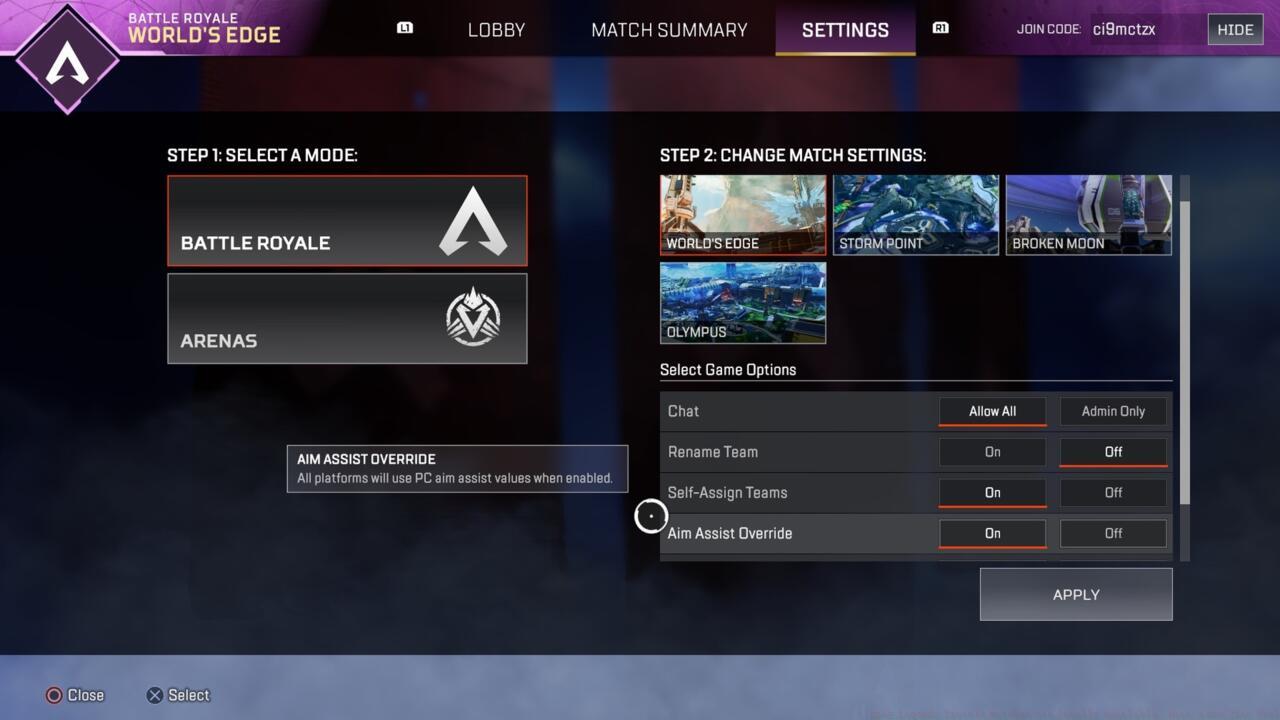
Only maps that are currently in active rotation are available for private matches.
While standard Apex battle royale matches support 60 competitors, private sessions require only 30 participants to commence. For those lacking three dozen available friends, Arenas matches provide a more accessible alternative with a mere six-player requirement.
Pro Tip: Always check the current map rotation before planning tournaments. Consider creating backup plans for when your preferred maps rotate out of availability. For advanced strategies on weapon selection and loadout optimization, consult our comprehensive BF6 Weapons Unlock Guide.
Initiating a private session begins at the main lobby interface. Navigate to the game mode selection menu positioned at the screen’s bottom-left corner. You’ll discover two primary tabs labeled “public match” and “private match.” The system defaults to public matching, requiring manual selection of the private option.
Common Mistake: Many new organizers forget to switch from public to private matching, resulting in accidental public queue entries. Double-check your selection before proceeding.
Platform-Specific Note: Console players should anticipate potential voice communication issues during initial setup. Have alternative communication methods ready, such as Discord or party chat systems.
Time Estimate: Allow 5-10 minutes for initial setup and player coordination. Subsequent sessions will require only 2-3 minutes once you’re familiar with the process.
For optimal team composition and role assignment, our detailed BF6 Class Selection Guide provides essential strategic insights.
Observer functionality transforms private matches into professional-grade broadcasting experiences. Spectators gain access to an extensive toolkit designed to enhance viewing quality and analytical capabilities.
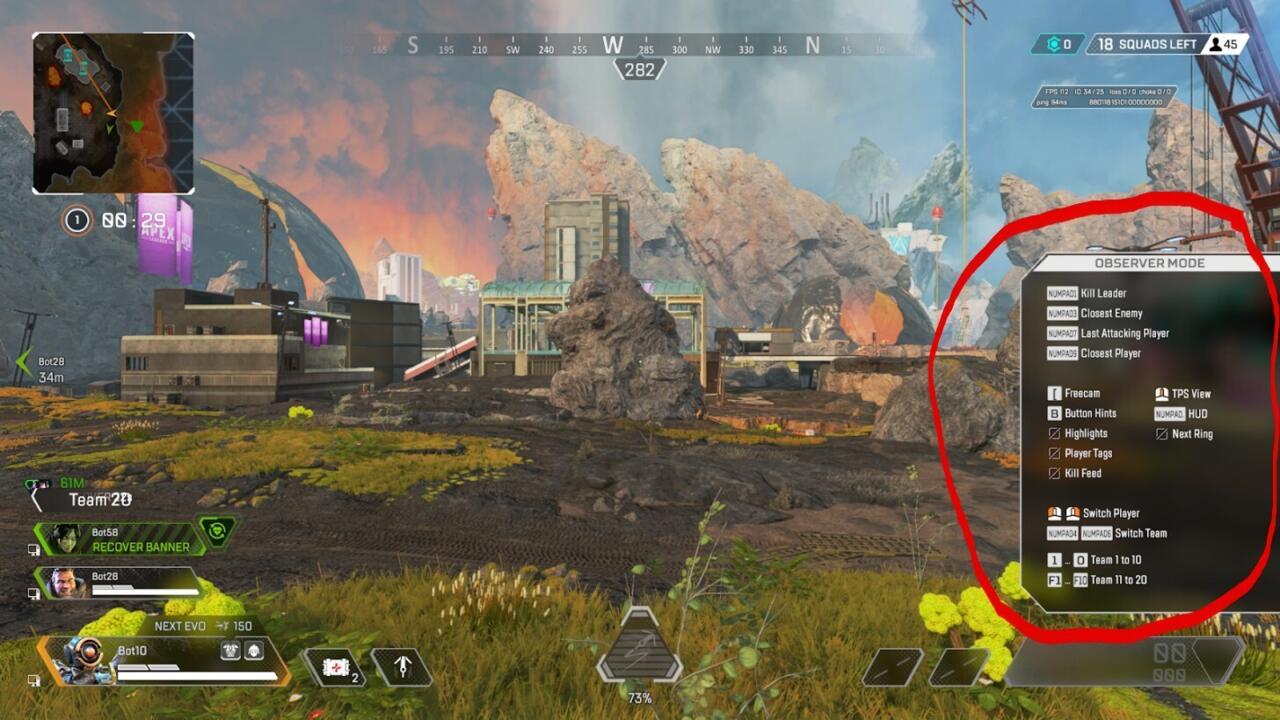
Observers have access to a menu with plethora of tools they can use to enhance their viewing experience.
Tournament administrators wield significant control through specialized settings interfaces. These menus offer numerous options for modifying gameplay parameters, adjusting rulesets, and customizing match conditions.
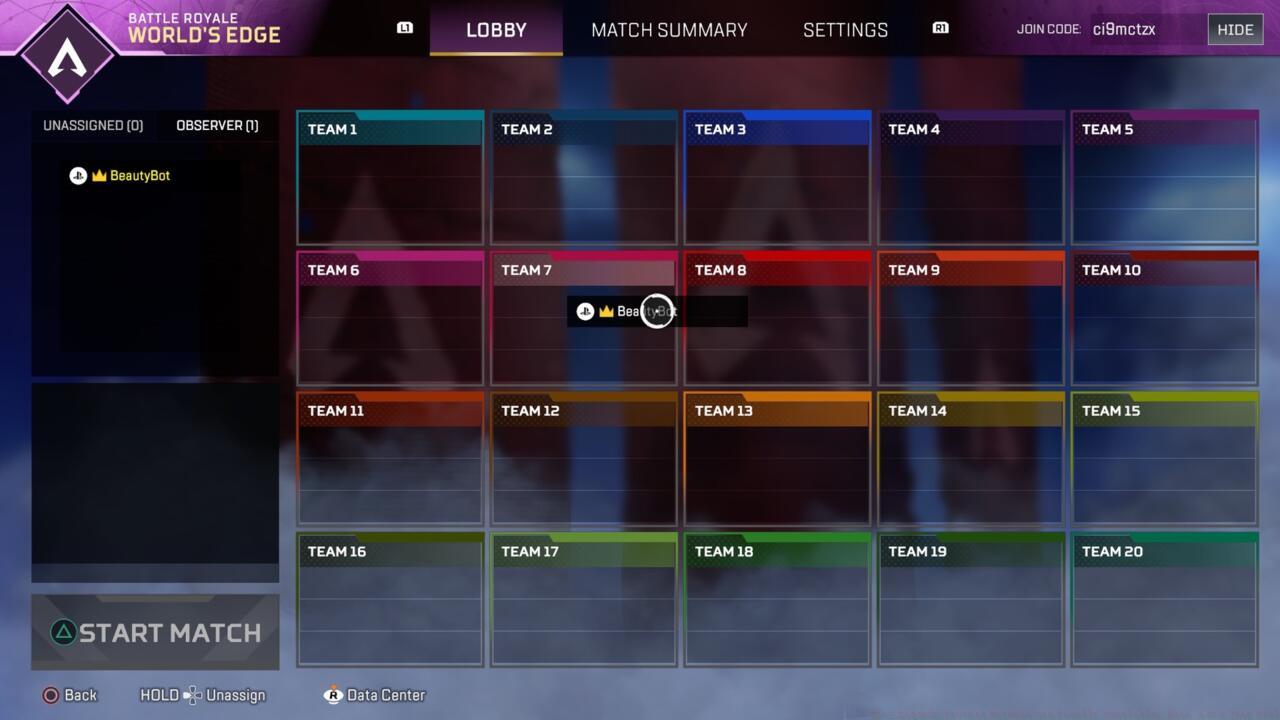
Admins have access to a special settings menu (pictured top right) and a multitude of options for tweaking gameplay.
Optimization Tip: Familiarize yourself with admin controls before hosting important tournaments. Practice with casual sessions to master the interface without competitive pressure.
Successful tournament hosting requires strategic planning beyond basic match setup. Consider implementing structured bracket systems, establishing clear rule sets, and designating reliable referees.
Scrimmage Strategy: Begin with smaller Arenas matches to test organizational workflows before scaling to full battle royale tournaments requiring 30 participants.
Broadcast Setup: Utilize observer tools to create engaging viewing experiences. Position multiple observers strategically to capture critical gameplay moments from different perspectives.
Common Pitfall: Underestimating the coordination required for 30-player sessions. Start with friend groups and gradually expand to larger communities.
For comprehensive guidance on mastering Apex Legends mechanics and strategies, explore our Battlefield 6 Complete Guide for additional competitive insights.
Advanced Technique: Record matches using observer capabilities for post-game analysis and content creation. This approach helps identify strategic improvements and creates shareable highlights.
Action Checklist
- Navigate to game mode menu in main lobby and select private match tab
- Verify current map rotation availability for your preferred game mode
- Coordinate player invites (30 for BR, 6 for Arenas)
- Designate observers and administrators with appropriate permissions
- Configure custom settings and rule sets through admin menu
- Test communication systems and establish backup plans for technical issues
No reproduction without permission:SeeYouSoon Game Club » Apex Legends Private Matches Are Finally Available; Here’s How They Work Master Apex Legends private matches with complete setup guide, optimization tips, and tournament strategies