
Essential mods to transform your Escape From Duckov experience with practical installation tips and optimization strategies
Introduction: Why Modding Enhances Your Duckov Experience
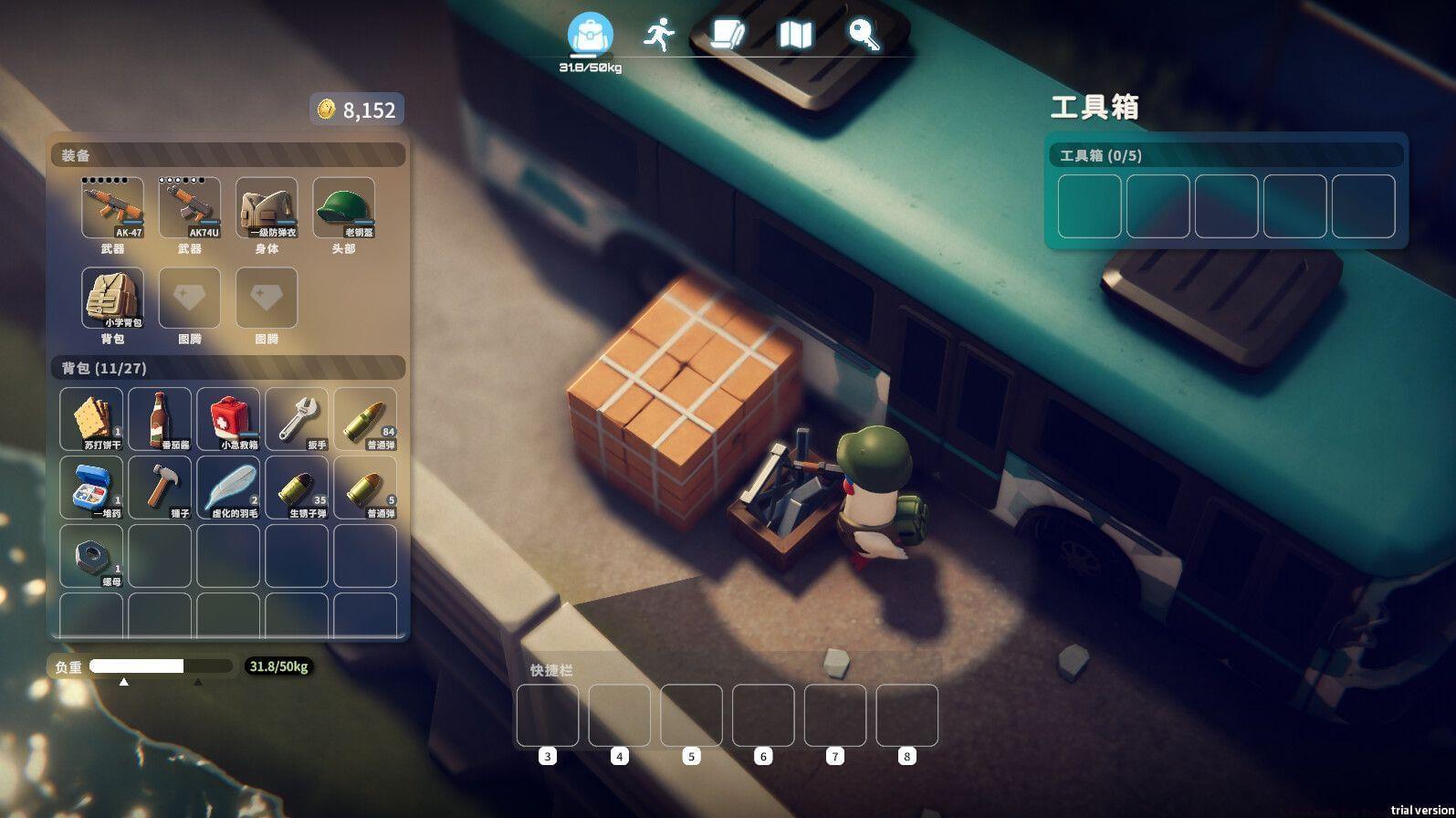
Escape From Duckov has emerged as one of this year’s most unexpected indie success stories, maintaining consistently strong player counts on Steam’s platform. This unique singleplayer extraction shooter places you in the webbed feet of a small duck scavenging vital resources while engaging in tactical combat against NPC waterfowl adversaries across diverse maps. The game’s dedicated community has recently flooded the Steam Workshop with innovative modifications that substantially elevate the core gameplay experience beyond its original design.
Modding represents one of the most powerful ways to customize your gaming sessions, allowing you to address specific pain points or introduce entirely new mechanics. For extraction shooters like Duckov, community-created content can mean the difference between repetitive grinding and endlessly engaging gameplay loops. Understanding which mods provide the most value and how to implement them correctly will dramatically improve your time in this quirky avian combat simulator.
First-Person Perspective Mod: A Revolutionary Viewpoint Shift
The first-person modification fundamentally reimagines how you experience Escape From Duckov, converting the standard top-down perspective into a fully immersive FPS extraction format. This dramatic viewpoint transformation provides an entirely fresh approach to navigating maps, engaging enemies, and managing your avian arsenal. The mod includes comprehensive camera configuration options that let players fine-tune field of view, weapon positioning, and head bob intensity to match personal preferences.
However, players should anticipate some visual inconsistencies in exterior environments since the original game wasn’t designed with first-person navigation in mind. Certain outdoor areas may exhibit slightly distorted geometry or awkward sightlines that require getting accustomed to. Pro tip: Adjust your camera height settings to mitigate the disorienting effect of seeing the world from a duck’s eye level, and experiment with different FOV values until you find the sweet spot for your playstyle.
Also read: Escape From Duckov Strange Feather quest guide
Co-op Multiplayer Mod: Bringing Friends to the Duck World
While clearly drawing inspiration from Escape from Tarkov’s hardcore mechanics, Duckov remained exclusively singleplayer until modders intervened with cooperative functionality. The co-op modification enables you and your friends to inhabit the same dangerous maps together, transforming solitary resource runs into collaborative expeditions. This social dimension introduces strategic possibilities like flanking maneuvers, resource sharing, and coordinated extraction planning that simply weren’t possible in the vanilla game.
Important considerations: Friendly fire remains permanently enabled in this modification, requiring careful communication and disciplined trigger control during intense firefights. Since the co-op feature currently exists in Alpha phase (version 1.4.1), players should anticipate occasional synchronization issues, unexpected crashes, and incomplete feature implementation. For optimal stability, ensure all party members have identical mod versions installed and consider backing up save files before extended co-op sessions.
Quest Navigation Mod: Streamlining Your Objectives
If you’ve spent any significant time with Escape From Duckov, you’ve likely experienced the frustration of vague quest objectives that provide minimal directional guidance. The game’s intentional design forces players to thoroughly explore maps in search of elusive objectives, which can lead to hours of aimless wandering. The ShowQuestsAreaOnMap modification elegantly resolves this issue by superimposing green star markers directly onto your map interface, clearly indicating where active quest objectives can be completed.
This quality-of-life enhancement doesn’t simply save time—it fundamentally changes how you approach mission planning and resource allocation. Instead of blindly searching large areas, you can now plot efficient routes that combine multiple objectives while minimizing exposure to hostile ducks. Advanced tip: Combine this mod with the first-person perspective for an immersive navigation experience that maintains gameplay challenge while eliminating unnecessary frustration.
Also read: 10 things you should know about Escape From Duckov before starting
Quality of Life Mods: Inventory and Looting Enhancements
Resource collection forms the economic backbone of Escape From Duckov, but the default looting mechanics often feel unnecessarily cumbersome. Manually dragging each item into your inventory and organizing stacks consumes valuable time that could be spent on tactical positioning or combat. The Quick Loot modification introduces intelligent automation by allowing you to create custom filters that automatically collect specified item types while ignoring worthless clutter.
As your stockpile grows across multiple successful raids, navigating your warehouse becomes increasingly challenging. Scrolling through extensive item lists to locate specific tools or resources interrupts gameplay flow and hampers efficiency. The Storage Searchbar mod addresses this organizational nightmare by implementing a straightforward search function that instantly filters your inventory based on item names or categories. Configuration recommendation: Set your quick loot filters to prioritize high-value trade items and medical supplies while excluding common materials that easily accumulate through normal gameplay.
Storage management represents another critical aspect of efficient Duckov gameplay that benefits tremendously from community modifications. The search functionality doesn’t merely save seconds—it transforms how you interact with your accumulated wealth, enabling rapid gear preparation between raids and reducing the mental load of inventory management.
Advanced Modding Strategies and Best Practices
Successfully integrating multiple modifications requires thoughtful planning to avoid conflicts and performance degradation. Begin by installing one mod at a time and thoroughly testing gameplay functionality before adding additional enhancements. Pay particular attention to mod load order—some modifications may overwrite others’ changes if installed in incorrect sequence. Performance-conscious players should monitor frame rates after each installation, as certain visual enhancements may impact system resources more significantly than others.
Common installation mistakes include failing to check version compatibility, neglecting to read mod documentation, and attempting to combine fundamentally incompatible modifications. Always verify that your game version matches the mod requirements, and carefully review known issues sections on each mod’s Steam Workshop page. For optimal stability, consider creating regular save backups before introducing new modifications, and maintain a list of installed mods with their respective versions for troubleshooting purposes.
Advanced optimization technique: If experiencing performance issues with multiple mods active, try disabling visual enhancements first, as these typically consume the most system resources. Texture modifications and lighting overhauls often have the greatest performance impact, while quality-of-life interface changes generally maintain stable frame rates. Remember that modding should enhance your experience, not create additional technical frustrations.
That’s everything you need to know about the best mods for Escape From Duckov.
Read more related articles here:
No reproduction without permission:SeeYouSoon Game Club » 5 best mods for Escape From Duckov Essential mods to transform your Escape From Duckov experience with practical installation tips and optimization strategies